Gear Up Your Meetings with the Best Conference Room AV Setup
Gear Up Your Meetings with the Best Conference Room AV Setup
Why the Right Conference Room Setup Equipment Makes or Breaks Your Meetings
Conference room setup equipment includes everything your team needs to run smooth, professional meetings — whether participants are in the room or dialing in from across the world.
Here’s a quick look at the essential hardware categories:
| Equipment Category | What It Does |
|---|---|
| Display | Shows video feeds and shared content (monitors, TVs, projectors, interactive whiteboards) |
| Camera | Captures in-room participants for remote viewers (PTZ, wide-angle, AI auto-framing) |
| Microphones | Picks up voices clearly (tabletop, ceiling array, beamforming) |
| Speakers | Delivers remote audio to the room (soundbars, ceiling speakers, conferencing units) |
| Control system | Manages all AV inputs and outputs (touch panels, room schedulers) |
| Compute/codec | Runs conferencing software and connects everything together |
| Connectivity | Links devices and networks (HDMI, USB-C, PoE+, wireless presentation) |
Hybrid work is now the default, not the exception. With 78% of organizations relying on video conferencing software, a poorly equipped meeting room isn’t just annoying — it actively hurts productivity, collaboration, and even employee retention.
The problem? Most meeting rooms are still stuck in the past. A single webcam, a speakerphone in the middle of the table, and a consumer TV bolted to the wall. That setup fails remote participants every single time.
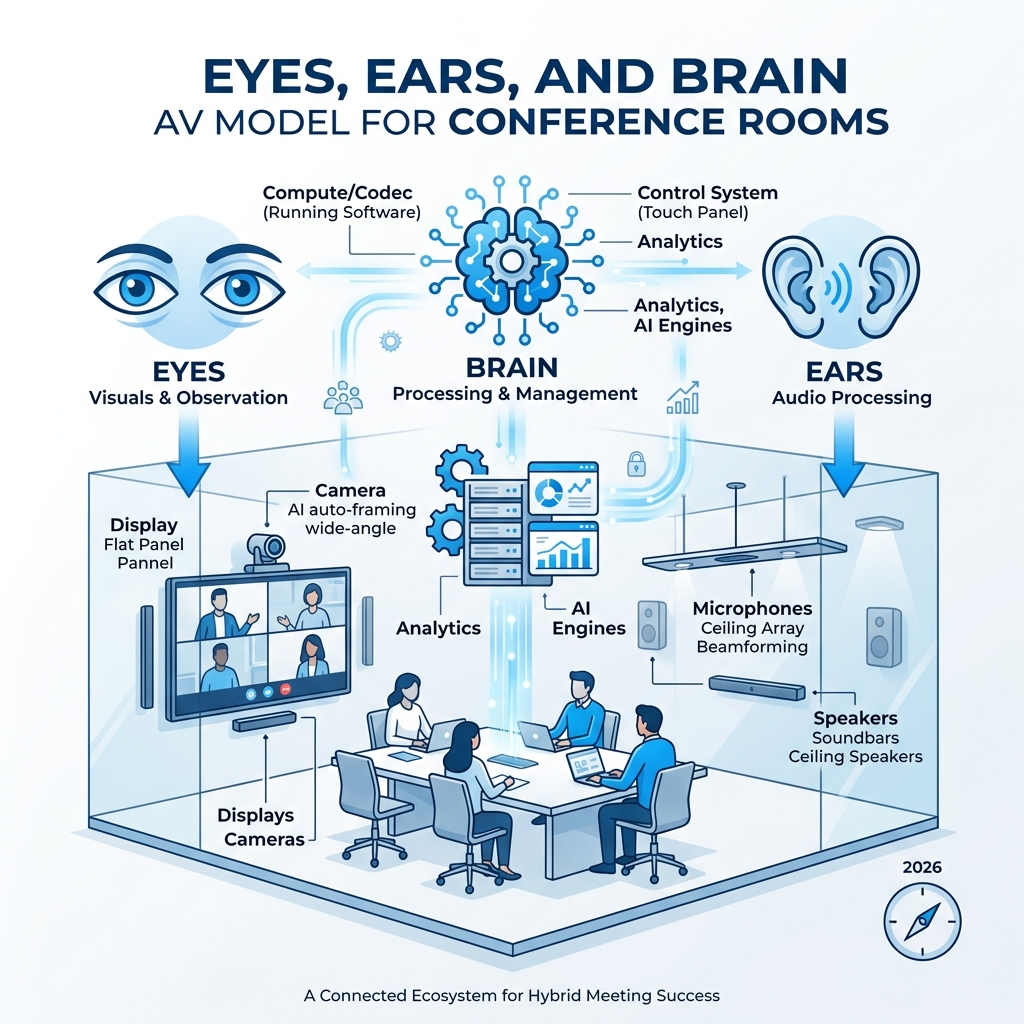
Modern conference rooms are a lot more than screens and cables. Think of them as a connected ecosystem — what the experts call Eyes, Ears, and Brain:
- Eyes — cameras, displays, and visual interfaces
- Ears — microphones, speakers, and audio processing
- Brain — AI engines, sensors, analytics, and management platforms
Getting all three right is what separates a room that works from one that frustrates everyone in it.
The global conference room equipment market is valued at $15 billion and is expected to grow to nearly $25 billion by 2033 — a clear signal that businesses everywhere are investing heavily in better meeting spaces.
This guide breaks down exactly what equipment you need, how room size changes your choices, and which brands and products consistently deliver results.
The Core Components of Modern Conference Room Setup Equipment
When we talk about conference room setup equipment, we are describing a connected ecosystem where hardware and software work in harmony. In the past, you might have just plugged a laptop into a projector and hoped for the best. Today, the “Brain” of the room—often a dedicated codec or compute device—manages the “Eyes” (cameras/displays) and “Ears” (mics/speakers) to ensure everyone has an equal seat at the table.
For businesses in Oakland County or Wayne County looking to upgrade, the first step is moving away from fragmented DIY solutions. A comprehensive guide to conference room technology in 2026 | Webex Blog highlights that modern setups prioritize “meeting equity.” This means the person joining from their home office in Royal Oak should see and hear the team in the Troy boardroom just as clearly as if they were sitting in the next chair.
At SmartMait, we specialize in making these complex systems feel invisible. Whether you need a simple huddle space or a high-end executive suite, our commercial AV services focus on seamless integration. We ensure your AV stack doesn’t just sit in the room but becomes a tool that boosts your team’s workflow.
High-Resolution Displays for Your Conference Room Setup Equipment
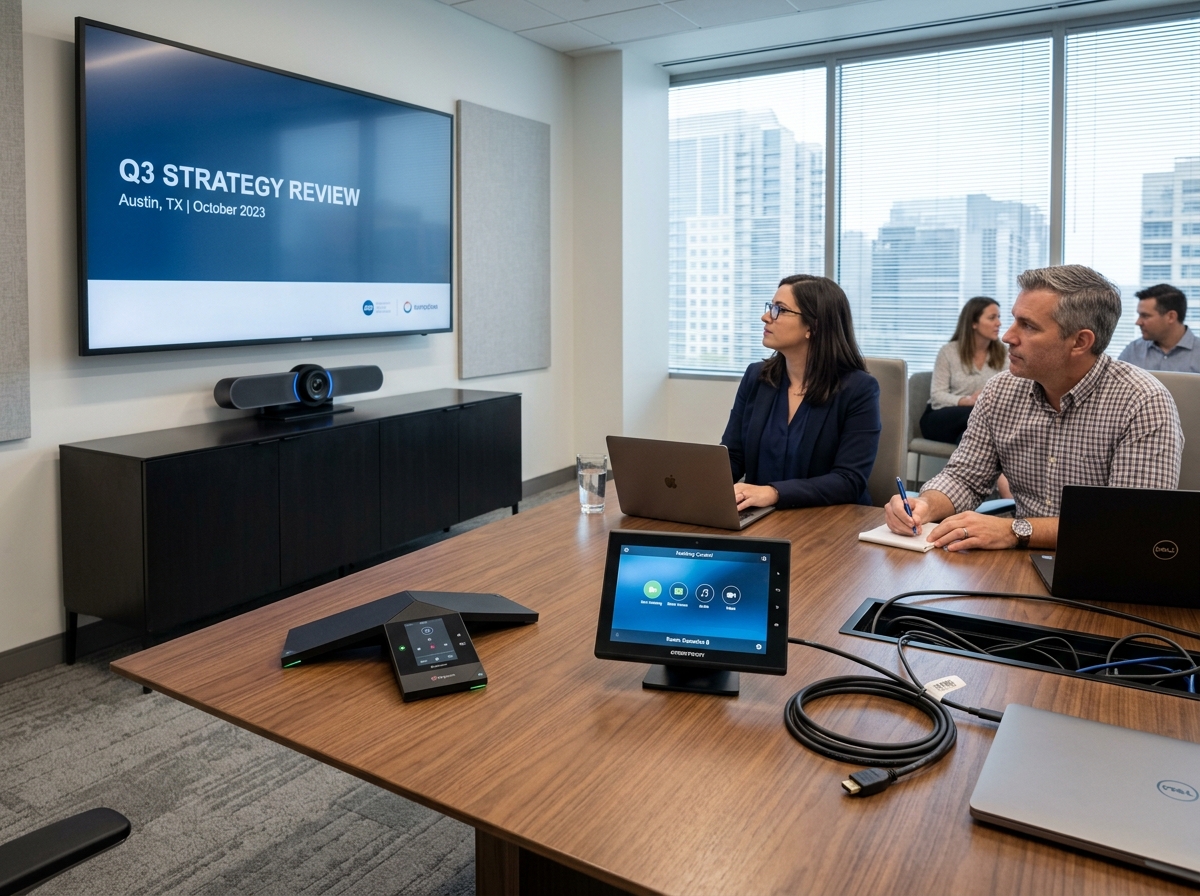
The display is the visual anchor of your room. While it’s tempting to grab a cheap big-screen TV from a big-box store in Novi, consumer TVs aren’t built for the 16/7 or 24/7 runtimes required in a professional office. Commercial-grade monitors offer anti-glare coatings, which are essential when you have bright overhead office lights or large windows in a Rochester Hills corner office.
For high-stakes environments, we often recommend:
- Dual-Screen or Triple-Screen Support: This allows you to keep the video gallery on one screen and your presentation on the other. Systems like the Cisco Room Panorama even utilize dual 85-inch 8K QLED displays to create an immersive, life-sized video experience.
- Interactive Whiteboards: Devices like the Webex Board or Google Meet Series One allow for real-time digital annotation. This means your team in Birmingham can sketch out ideas that remote participants can see and interact with instantly.
- 8K and 4K Resolution: As content becomes more detailed, higher resolutions ensure that spreadsheets and architectural plans remain crisp.
Crystal-Clear Audio and Microphone Arrays
If the video fails, the meeting continues. If the audio fails, the meeting is over. Audio is the most critical (and often most overlooked) component of conference room setup equipment.
To achieve professional sound, we look for:
- Beamforming Technology: Modern microphones don’t just “listen”; they use AI to “point” at the person speaking while ignoring the hum of the HVAC system or the rustle of papers.
- Ceiling Microphones: These eliminate table clutter and cable “rats’ nests.” High-end options like the Cisco Ceiling Microphone Pro or Nureva’s Microphone Mist technology fill the room with thousands of “virtual microphones” to ensure no dead zones.
- Full-Duplex Audio: This allows participants on both ends to speak at the same time without the audio cutting out, making conversations feel natural rather than like a walkie-talkie exchange.
- Noise Cancellation: AI-powered audio can now suppress background dogs barking or sirens outside your Detroit office in real-time.
Scaling Your Tech: Equipment for Every Room Size
One size definitely does not fit all. A camera that works perfectly in a small focus room in Ferndale will leave participants at the end of a long boardroom table looking like they are at the end of a dark tunnel. The Complete Modern Conference Room Setup Checklist emphasizes that your equipment must match the “room archetype.”
| Room Type | Typical Capacity | Key Equipment Focus |
|---|---|---|
| Huddle/Focus | 1–4 people | All-in-one video bars, wide-angle lens |
| Medium Room | 5–10 people | Dedicated cameras, tabletop or ceiling mics |
| Large/Boardroom | 10–20+ people | PTZ cameras, multi-mic arrays, dual displays |
| Training Room | Variable | AV over IP, wireless presentation, tracking cameras |
Huddle Rooms and Focus Spaces
Huddle rooms are the workhorses of the modern office. Because these spaces are small, you need a wide-angle lens (at least 120 degrees) to capture everyone sitting close to the screen.
The gold standard here is the all-in-one video bar. These devices combine the camera, speakers, and microphones into a single sleek unit that mounts above or below the display. They are typically “plug-and-play,” meaning your team can walk in, plug in a USB-C cable, and start the meeting in seconds.
Large Boardroom Conference Room Setup Equipment
In larger spaces, like an executive boardroom in Bloomfield Hills, a single video bar isn’t enough. You need:
- PTZ (Pan-Tilt-Zoom) Cameras: These allow the system to zoom in on a specific speaker at the far end of a 20-foot table without losing image quality.
- Multi-Camera Switching: Some high-end systems use AI to switch between a wide shot of the room and a close-up of the presenter.
- AV over IP: This allows us to send high-quality video and audio signals over your standard network wiring, making it much easier to scale the system as your company grows.
Safety is also a priority in these larger, high-traffic areas. We often integrate our AV solutions with security camera systems to provide occupancy data and ensure the room is being used efficiently and safely.
Advanced AI Features for Hybrid Collaboration
The biggest trend in conference room setup equipment right now is Artificial Intelligence. We aren’t just talking about chatbots; we’re talking about AI that actively manages the meeting experience.
- Auto-Framing and Speaker Tracking: The camera uses facial recognition and sound location to automatically frame the group or zoom in on whoever is currently talking. This eliminates the need for a remote control.
- People Counting and Analytics: Systems can now report exactly how many people are in a room. If you have a 12-person boardroom in Southfield that is consistently only used by two people, the data can help you redesign your office space.
- Real-Time Transcription and Summaries: AI assistants can now provide live captions (great for accessibility) and even generate a summary of action items after the meeting ends.
- Gesture Recognition: Some systems allow you to give a “thumbs up” to trigger an on-screen emoji or wave your hand to wake up the system.
Connectivity, Installation, and Management
You can buy the most expensive gear in the world, but if the cables are a mess and the WiFi is spotty, your meetings will suffer. At SmartMait, we believe the physical installation is just as important as the hardware itself.
Professional Cable Management is a must. A “rat’s nest” of wires behind a TV isn’t just ugly; it’s a troubleshooting nightmare. We use professional racks, conduits, and labeled wiring to ensure everything stays connected and cool.
Connectivity Standards:
- Wireless Presentation: Tools like Miracast, Apple AirPlay, or dedicated buttons (like the Webex Share) allow users to share their screens without hunting for an HDMI cable.
- PoE+ (Power over Ethernet): This allows us to power devices like touch controllers and microphones using the same cable that carries the data, simplifying the install.
- Centralized Management: For IT teams managing offices across Troy, Warren, and Livonia, tools like Cisco Control Hub allow them to update every room in the company from a single dashboard.
Frequently Asked Questions about Conference Room AV
How do I determine the right screen size for my room?
A good rule of thumb is the “4-6 Rule.” The person furthest away from the screen should be no more than four to six times the screen’s height away from the display. For a standard 12-foot deep room, a 65-inch to 75-inch display is usually the sweet spot. For larger boardrooms, you may need a 98-inch display or a dual-screen setup.
What is the difference between consumer and commercial displays?
Consumer TVs are designed for a few hours of use a day and often have glossy screens that reflect office lights. Commercial displays are rated for 16/7 or 24/7 use, feature much higher brightness levels, include “Pro” modes that lock out unwanted settings, and usually come with a 3-year onsite warranty—something you won’t get with a home TV.
How can I eliminate audio echo in large meeting spaces?
Audio echo is usually caused by “hard” surfaces like glass walls and hardwood floors. To fix this, we recommend:
- Acoustic Treatment: Adding panels or rugs to absorb sound.
- Acoustic Echo Cancellation (AEC): Ensuring your hardware (like a Nureva or Cisco codec) has high-quality digital signal processing to strip out the echo before it reaches the remote participants.
- Microphone Placement: Moving microphones closer to the speakers and further from reflective glass.
Conclusion
Investing in high-quality conference room setup equipment is no longer a luxury—it’s a requirement for doing business in a hybrid world. When your technology “just works,” your team can focus on innovation and collaboration instead of fumbling with HDMI adapters.
At SmartMait, we take pride in serving our neighbors across Michigan—from the bustling offices of Southfield and Troy to the professional suites in Birmingham and Rochester. Our unique advantage is our ability to provide a truly comprehensive smart environment. Because we specialize in Z-Wave technology, we can integrate your conference room AV with your building’s lighting, climate control, and security systems for a seamless, “one-touch” experience.
Ready to gear up your meetings? Whether you are in Farmington Hills, West Bloomfield, or anywhere in the Metro Detroit area, we are here to help you design a space that inspires.
Transform your office today at https://smartmait.com/.