Large Room Video Conferencing Systems That Actually Work
When Your Meeting Room Is Too Big to Get Wrong
A large conference room video conferencing system is one of the most critical technology investments a business can make — and also one of the easiest to get wrong.
Here’s a quick look at the top systems built for large rooms:
| System | Best For | Starting Price |
|---|---|---|
| Poly Studio X72 | Large rooms, AI audio/video | ~$6,500 |
| Crestron Flex UC-B70-A-Z-I | Zoom Rooms, enterprise AV | Quote-based |
| Logitech Rally Bar | Medium-to-large, Teams/Zoom | ~$4,199 |
| Cisco Room Kit Pro G2 | Boardrooms, multi-camera | ~$35,000+ |
| Yealink MVC S80/S90 | Large rooms, Teams/Zoom | Varies |
Big rooms create big problems for standard video gear. Voices get lost. Cameras miss people in the back row. Remote participants feel like an afterthought.
The stakes are even higher in executive boardrooms and training spaces where every participant — in-room and remote — needs to feel equally present.
The good news: modern large-room systems have advanced dramatically. Features like AI speaker tracking, beamforming microphone arrays, and dual 4K cameras now make it possible to run seamless hybrid meetings for 10, 15, even 20+ people.
This guide breaks down exactly which systems deliver on that promise — and which ones fall short.
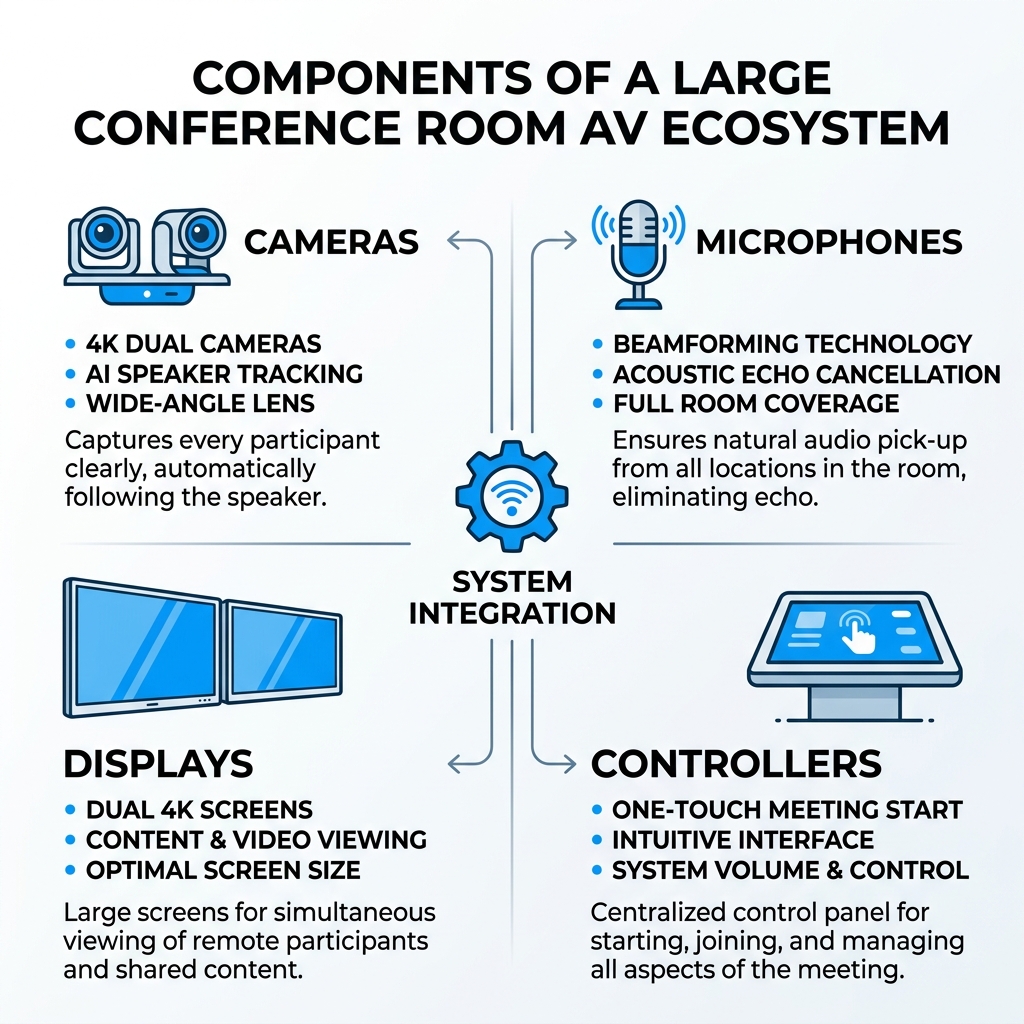
Essential Features of a Large Conference Room Video Conferencing System
When we step into a large boardroom in Troy or Bloomfield Hills to perform an installation, the first thing we look at is the “depth” of the room. In a space that seats 12 to 20 people, the person at the far end of the table is often 20 feet away from the screen. A standard webcam just won’t cut it.
To make a large conference room video conferencing system actually work, you need hardware that can “see” and “hear” across vast distances.
4K Resolution and PTZ Functionality
In a large room, pixels matter. If you zoom in on someone sitting at the back of a 25-foot table using a 1080p camera, they’ll look like a blurry Minecraft character. We recommend cameras with native 4K resolution. But resolution is only half the battle; you need Pan-Tilt-Zoom (PTZ) functionality.
Mechanical PTZ allows the camera to physically move and focus on specific areas of the room without losing image quality. For example, the Logitech Rally Bar offers a 15X HD zoom (5X optical and 3X digital). This ensures that even the person sitting furthest away is captured in crisp detail.
AI-Driven Auto-Framing and Speaker Tracking
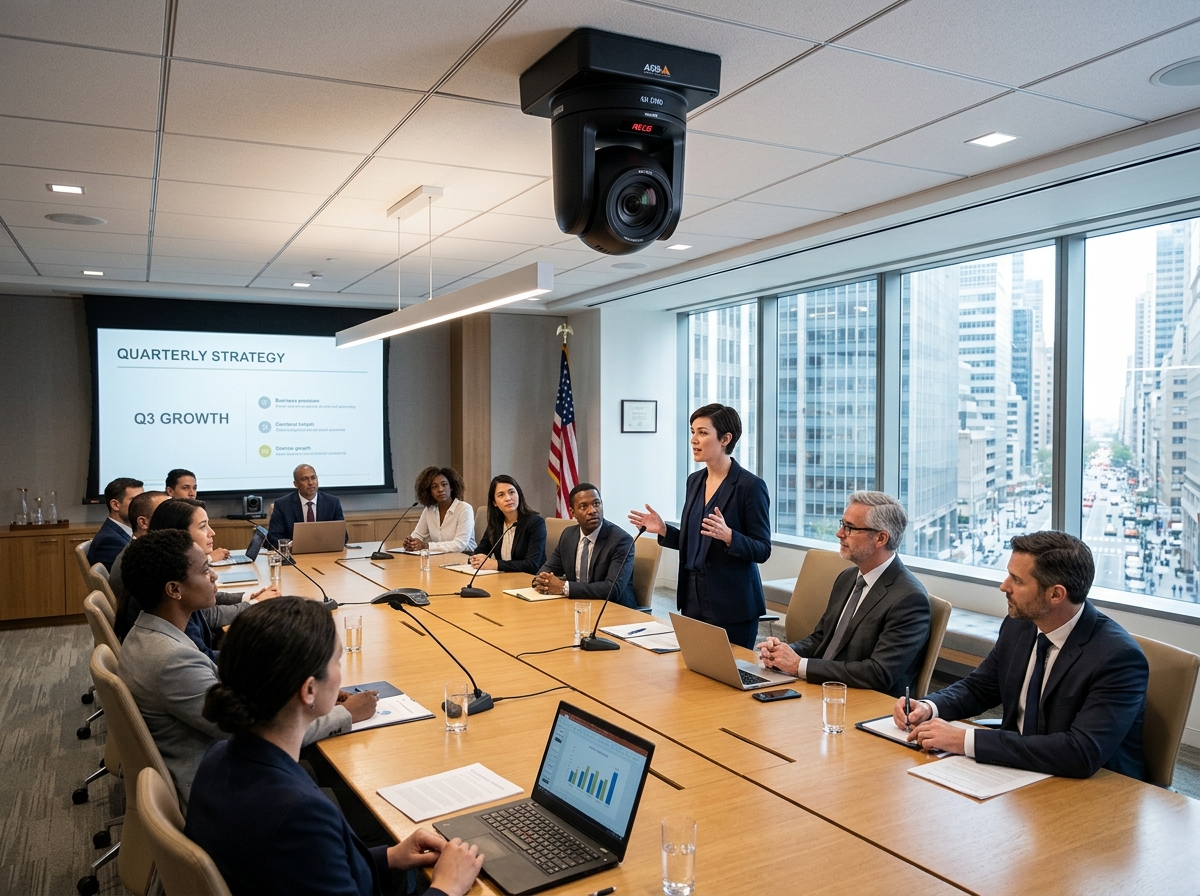
Modern systems use an “AI Viewfinder” or secondary camera to monitor the room. While the main lens focuses on the person talking, the AI lens keeps an eye on everyone else. Features like Poly DirectorAI or Logitech RightSight can automatically frame the group or jump to a close-up of the active speaker. This creates “meeting equity,” ensuring remote viewers aren’t just staring at a wide, empty-looking bowling alley of a room.
Multi-Camera and Dual-Display Support
For very large spaces or divisible rooms, one camera isn’t enough. High-end systems like the Cisco Room Kit Pro G2 support multi-camera setups that can switch views based on who is presenting. Furthermore, dual-display support is non-negotiable for large rooms. You want one screen for the participants’ faces and a second (often larger) screen for content sharing.
| Feature | Large Room Requirement | Why It Matters |
|---|---|---|
| Field of View | 90° to 120° | Captures everyone at the front and sides of the table. |
| Optical Zoom | 5X to 12X | Maintains clarity when focusing on the back of the room. |
| Framing | AI-Based | Eliminates the need for a manual remote control. |
High-Performance Hardware for Executive Boardrooms
Executive boardrooms require a level of polish that goes beyond simple functionality. In places like Birmingham or Rochester Hills, our clients often look for systems that disappear into the decor while providing “first-class” immersion.
The Power of Quad-Camera Arrays
Systems like the UC-B70-A-Z-I | Crestron Flex Large Room Conference Solution utilize a quad-camera setup. This isn’t just for show; it allows the system to stitch together a 4K panoramic view of the entire room. When someone speaks, the system can instantly switch to the best-angled lens for that person, providing a cinematic experience.
Massive Displays for Massive Impact
For the ultimate executive experience, we often look toward systems like the Cisco Room Panorama. It features dual 85-inch 8K QLED displays for video and a separate 65-inch 4K display just for presentations. While this might seem like overkill for a huddle room, in a C-suite environment, it allows for life-sized remote participants, making the “virtual” wall feel like a window into another office.
Intelligent Viewfinders and Privacy
Security is a major concern for our clients, especially when dealing with sensitive corporate data. Premium bars like the Poly Studio X72 Premium All-in-one Video Bar come with integrated electronic privacy shutters. These shutters physically block the lens when the system isn’t in a call, providing peace of mind that no one is “peeking” into the boardroom.
Audio Engineering for 10+ Participant Spaces
If the video fails, you can still have a meeting. If the audio fails, the meeting is over. In a large conference room video conferencing system, audio is actually the most difficult part to get right because of physics. Sound bounces off glass walls and dies out over long distances.
Beamforming Microphone Arrays
The gold standard for large rooms is the beamforming microphone array. Instead of a single mic “listening” to the whole room, these arrays (like the 24-mic array found in the Crestron Videobar 70) create virtual “beams” that target the person speaking. This effectively ignores background noise like the hum of an HVAC system or someone crinkling a bag of chips at the end of the table.
Expansion and Pickup Range
A single video bar usually has a pickup range of about 15 to 23 feet. In a room seating 15+ people, that’s not enough. The Logitech Rally Bar is a favorite of ours because it supports up to 4 additional Rally Mic Pods. These can be placed along the table or mounted to the ceiling, extending the audio pickup range to cover even the largest U-shaped or hollow-square table configurations.
Full-Duplex Audio and AEC
Have you ever been in a meeting where two people talk at once and the audio cuts out? That’s a lack of “full-duplex” audio. High-quality systems use Acoustic Echo Cancellation (AEC) and AI-based noise reduction to ensure that sound flows both ways simultaneously, allowing for natural, overlapping conversation.
Optimizing Audio in a Large Conference Room Video Conferencing System
To truly optimize a large space, we look at more than just the microphones:
- Acoustic Fence: Technologies like Poly’s Acoustic Fence create a virtual boundary. Any sound outside that “fence” (like a noisy hallway) is blocked.
- Spatial Audio: Systems with directional loudspeakers make the remote person’s voice sound like it’s coming from the direction of their image on the screen.
- DSP Integration: For “ProAV” rooms, we might use a Digital Signal Processor (DSP) to fine-tune the acoustics of the specific room.
Selecting a Large Conference Room Video Conferencing System for Scalability
One of the biggest mistakes we see businesses make is buying “islands” of technology. You buy one system for the Troy office and a different one for the Farmington Hills branch, and suddenly, no one knows how to use the remote.
Multi-Platform Certification
We always recommend choosing hardware that is certified for the platforms you actually use. Whether it’s Microsoft Teams Rooms or Zoom Rooms, certified hardware ensures that the “One-Touch Join” button actually works. Systems like the Studio X70 – Large Room Video Conferencing System are designed to run these apps natively, meaning you don’t even need a PC in the room to start a call.
Centralized Cloud Management
If you are managing five or fifty conference rooms, you don’t want to walk to each one to push a firmware update. Tools like Logitech Sync, Poly Lens, or Cisco Control Hub allow IT teams to monitor room health, check if a mic is unplugged, and update all devices from a single dashboard.
Deployment Strategies: All-in-One vs. Modular Kits
There are two main ways to deploy a large conference room video conferencing system: the “All-in-One Bar” or the “Modular Kit.”
All-in-One Video Bars
The Poly Studio X72 and Logitech Rally Bar are examples of all-in-one bars. They house the camera, microphones, speakers, and the computer (Appliance Mode) in one unit.
- Pros: Easy to install, fewer cables, lower cost.
- Cons: Limited by the physical location of the bar (usually under the TV).
Modular Kits
Modular systems, like the Cisco Room Kit Pro or Yealink MVC S90, separate the components. You have a dedicated codec (the “brain”), separate cameras, and separate microphones.
- Pros: Ultimate flexibility. You can put cameras in the corners, mics in the ceiling, and the computer in a server rack.
- Cons: More complex installation, more cabling, higher price tag.
The “BYOD” Factor
Even with a dedicated room system, someone will eventually walk in with a laptop and a weird niche webinar app. We look for systems that offer “BYOD” (Bring Your Own Device) mode, often via a single USB-C cable. This allows the user to take over the room’s high-end camera and mics for their laptop’s meeting.
Environmental Sensors and Smart Rooms
The latest trend in large room systems is the inclusion of AIOT (Artificial Intelligence of Things) sensors. Systems can now monitor:
- Room Occupancy: How many people are actually using the 20-person room?
- Air Quality: Monitoring CO2 and VOC levels to ensure participants stay alert.
- Temperature: Integrating with smart building systems to adjust the HVAC when a meeting starts.
At SmartMait, this is where we get excited. Because we specialize in Z-Wave integration and seamless smart device connectivity, we can make your conference room “wake up” the moment you walk in—dimming the mood lighting, lowering the shades, and powering on the displays automatically.
Frequently Asked Questions
What is the typical price range for a large room system?
A complete large conference room video conferencing system usually starts around $4,000 for a high-quality all-in-one bar like the Logitech Rally Bar. However, for executive boardrooms requiring modular components, dual 85-inch displays, and professional installation, prices can easily exceed $35,000. For example, the Cisco Room Panorama is a premium investment designed for high-impact C-suite environments.
How many microphones are needed for a 15-person room?
A standard video bar can usually handle 8 to 10 people if they are sitting relatively close. For a 15-person room, you generally need a primary array (built into the bar) supplemented by 2 to 4 expansion mic pods or a ceiling-mounted array. The goal is to ensure that no participant is more than 8 to 10 feet away from a microphone.
Are these systems compatible with both Zoom and Teams?
Yes! Most modern hardware from brands like Poly, Logitech, and Yealink is “platform agnostic.” This means you can run them in “Appliance Mode” (where the bar runs Teams or Zoom natively) or “USB Mode” (where it acts as a peripheral for a laptop). Some systems even allow you to switch between the two with a simple reboot.
Conclusion
Equipping a large space doesn’t have to be a headache. Whether you’re setting up a training center in Warren or an executive boardroom in Birmingham, the key is to prioritize audio clarity, camera zoom capability, and ease of use.
At SmartMait, we don’t just “plug in” cameras. We provide comprehensive, seamless smart device integration. We understand how to blend high-end AV with residential-style ease of use, utilizing Z-Wave technology to ensure your office tech works as reliably as your home security. From Security Cameras to complete boardroom overhauls, we serve the entire Oakland, Macomb, and Wayne County areas with professional, local expertise.
If you’re ready to transform your large meeting space into a hybrid collaboration powerhouse, we’re here to help. Learn more about our smart office solutions and let’s build a system that actually works for your team.