Ring My Bell: A Guide to Apartment Door Camera Security
Why Your Apartment Camera Security System Matters More Than You Think
Quick Answer: Best Apartment Camera Security System Options
| Priority | What to Look For |
|---|---|
| Installation | Wireless, no-drill, battery-powered or plug-in |
| Video Quality | 1080p minimum; 2K or 4K for sharper detail |
| Storage | Local microSD or NVR — no mandatory subscription |
| Smart Home | Works with Alexa, Google Home, or Apple HomeKit |
| Legal | Check your lease; get written landlord approval for exterior cameras |
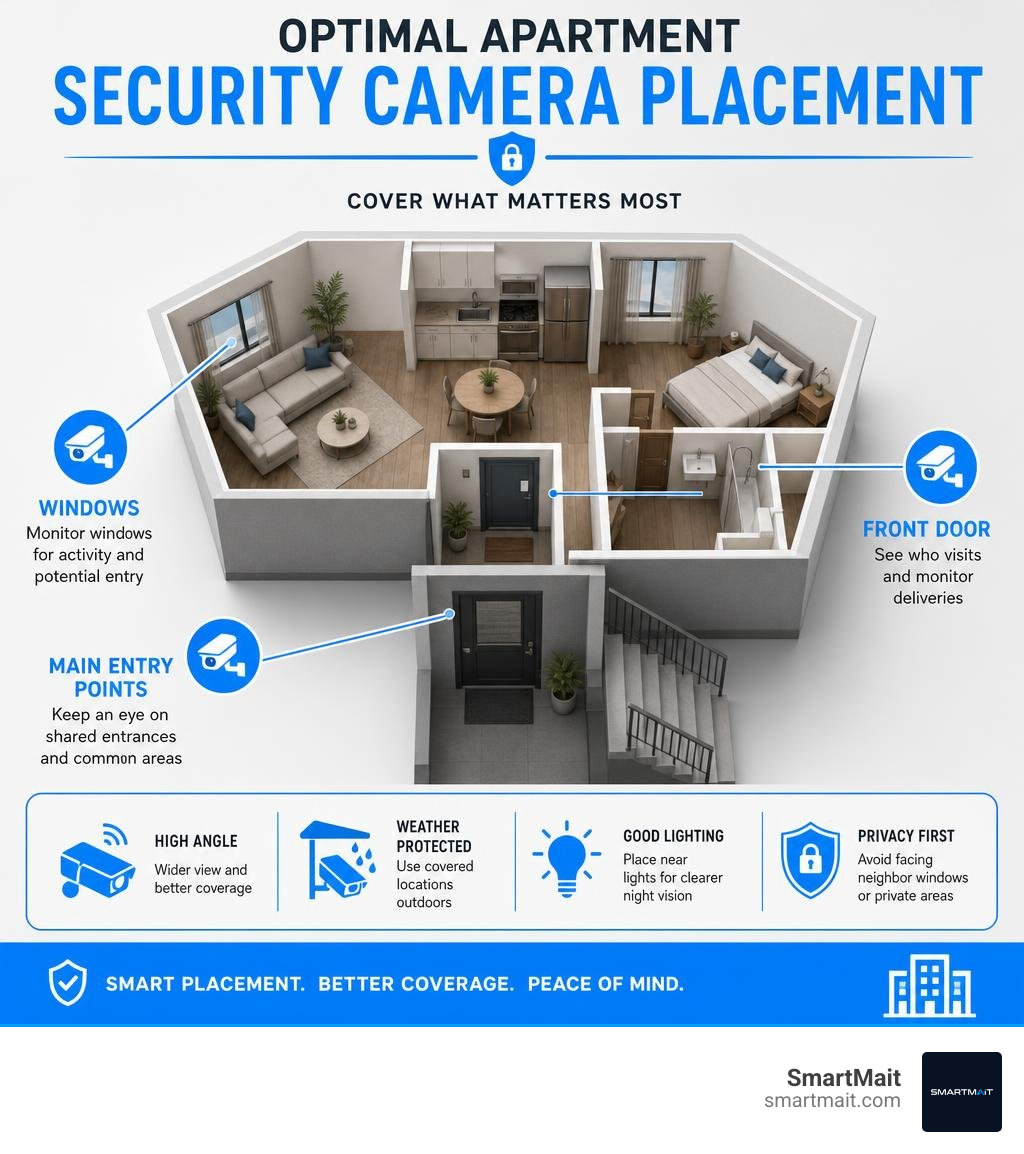
| Coverage | Front door, windows, and main entry points first |
Setting up an apartment camera security system is one of the smartest moves a renter can make — but it comes with a unique set of challenges that homeowners simply don’t face. You can’t drill into walls without risking your security deposit. You may share hallways, entryways, and building access points with other tenants. And the wrong camera placement can put you on the wrong side of your lease — or your state’s privacy laws.
The good news? The technology has caught up with the problem. Battery-powered cameras, local storage options, and wireless protocols have made it genuinely possible to build a reliable, professional-grade security setup without touching a single wall stud.
I’m Dominic Hesano, founder of SmartMait and a low voltage installation specialist serving Southeast Michigan — and I’ve helped clients design apartment camera security systems that are clean, lease-friendly, and built to actually work. In the sections below, I’ll walk you through everything you need to know: the legal rules, the right features, and how to get real coverage without the guesswork.
Essential apartment camera security system terms:
- best camera security for home
- alarm system with video surveillance
- audio video security cameras
Legal and Landlord Rules for an Apartment Camera Security System
Before you unbox a single camera or buy a peel-and-stick mount, you need to understand the legal playground. As a tenant, your right to secure your home is real, but it is bounded by the terms of your lease and state privacy laws.
According to the comprehensive Best Security Cameras for Apartments in 2026 – SafeHome.org, while tenants are almost always legally permitted to monitor the interior of their own rented space, things get highly nuanced when cameras point outward. Hallways, stairwells, lobbies, and parking areas are legally considered common areas owned by the landlord. This means you do not have a unilateral right to modify these spaces or capture footage of them without checking local regulations and your lease agreement first.
Navigating Privacy Laws and Tenant Rights
Privacy laws are designed to protect people where they have a “reasonable expectation of privacy.” Inside your apartment, that expectation is absolute. However, your neighbors also have a reasonable expectation of privacy when they are inside their units. If your front door camera is angled in a way that peers directly into a neighbor’s apartment whenever they open their door, you could be violating state privacy laws.
Audio recording adds another layer of complexity. Michigan is historically a one-party consent state for recording conversations, but this only applies if you are an active participant in the conversation. Recording the private conversations of neighbors walking down a shared hallway without their knowledge can lead to severe legal issues.
To keep your system fully compliant, consider pairing your cameras with non-invasive sensors. For example, using The Best Door Alarm Sensors to Alert Your Phone Instantly allows you to keep tabs on entry points without filming public hallways. If you do use a camera, make sure to adjust its motion zones and privacy masks in the app to avoid capturing your neighbor’s doorway.
Getting Landlord Approval for Your Apartment Camera Security System
When it comes to the physical installation, your lease is the ultimate rulebook. Most standard leases contain strict clauses against “altering” the property. This means no drilling holes into drywall, door frames, or exterior brickwork. If you drill into a shared hallway wall to mount a camera, you are likely violating your lease and risking your security deposit.
To get your landlord on board, present a plan that relies on zero-damage, non-invasive installation. We recommend proposing wireless, battery-powered devices or magnetic mounts that can be removed cleanly when your lease ends.
If you live in a high-end building in Bloomfield Hills or Birmingham, your landlord may be even more protective of the building’s aesthetic. Highlighting a professionally integrated, low-profile Z-Wave wireless setup can ease their concerns. Z-Wave devices communicate on a secure, low-frequency band that won’t interfere with the building’s Wi-Fi network, making it a highly attractive option for property managers who want to avoid network congestion. Always secure written consent from your landlord before mounting anything in common areas to protect yourself from future disputes.
Key Features to Prioritize in a Premium Apartment Camera Security System
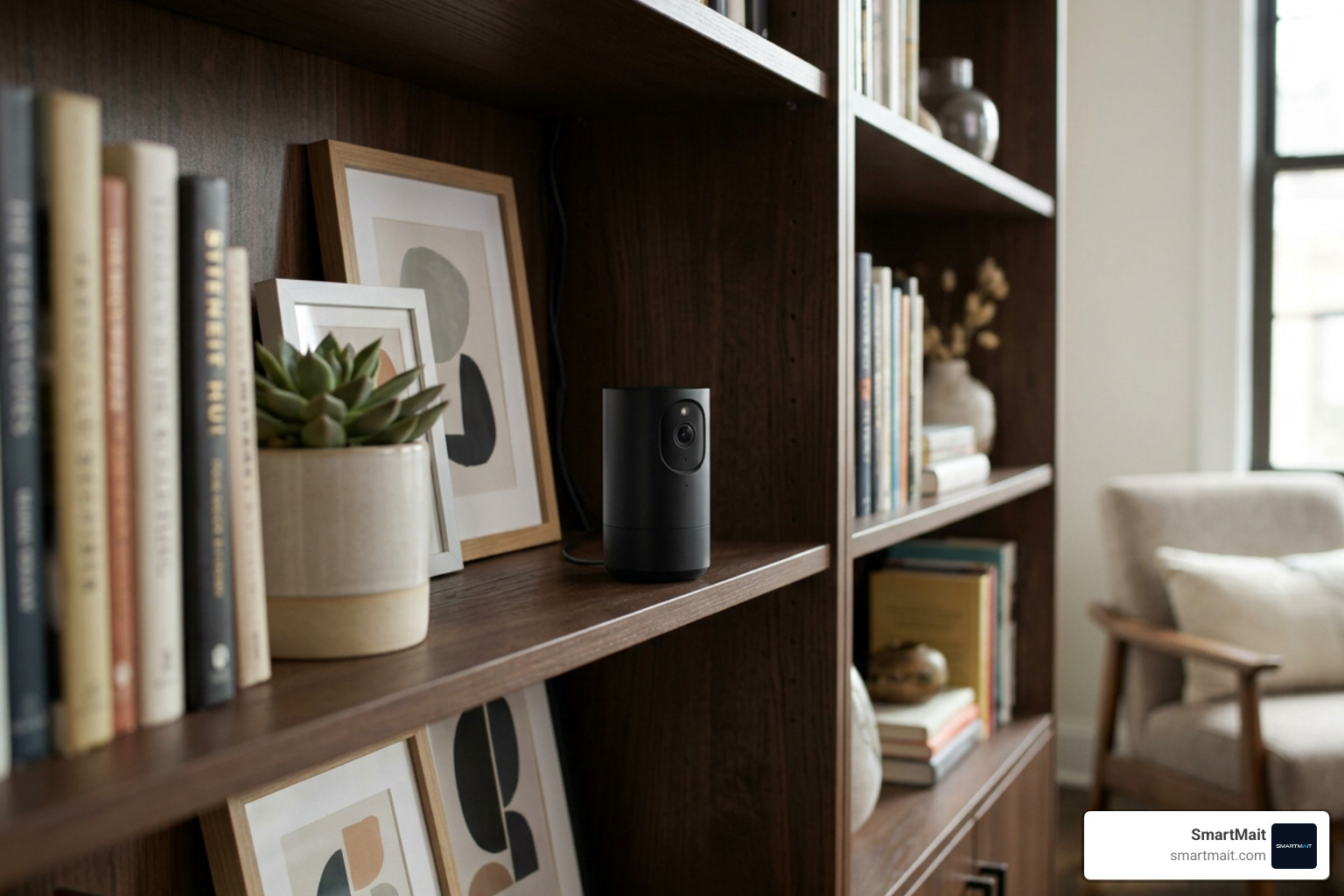
When selecting the hardware for your apartment camera security system, you shouldn’t just grab the cheapest consumer bundle off a retail shelf. Renters have specific needs—primarily portability, ease of removal, and strong wireless performance. To build a system that offers true peace of mind, you need to prioritize features like high-resolution night vision, reliable two-way audio, and smart motion detection that can tell the difference between a package delivery and a wandering hallway pet.
If you want to explore how these features scale across different budgets, check out our guide on The Best Security Cameras for Every Budget and Need.
Professional Wireless and Z-Wave Security Solutions
Most off-the-shelf security cameras rely entirely on standard 2.4GHz Wi-Fi. In a crowded apartment building in Troy or Royal Oak, where dozens of tenants are running their own routers, baby monitors, and smart TVs, the 2.4GHz spectrum becomes incredibly congested. This results in dropped connections, delayed alerts, and pixelated video feeds.
For a robust, architect-grade system, we look to the Z-Wave ecosystem. Z-Wave operates on a dedicated radio frequency (around 908 MHz in the US), completely bypassing the noisy Wi-Fi bands. It uses a self-healing mesh network, meaning each device acts as a repeater to pass signals along. This ensures that even if your router is in a back bedroom, your front door sensors and cameras maintain a rock-solid connection.
Furthermore, professional wireless protocols are optimized for battery management. Since you cannot easily run power cables through a rental, you want battery-powered sensors and cameras that won’t require a recharge every few weeks.
Secure Local Storage vs. Managed Cloud Subscriptions
How your security footage is stored is just as important as how it is captured. Many popular consumer brands force you into monthly subscription plans to access your recorded video. If you prefer to avoid recurring fees and keep your data private, you should look for systems that offer local storage.
Many premium systems allow you to store video directly on a local microSD card or a dedicated Network Video Recorder (NVR) kept inside your apartment. For a deep dive into subscription-free options, read our article on Looking for a Wireless Indoor Security Camera Without a Subscription.
To help you compare the market’s leading renter-friendly hardware options, we have compiled a list of top-tier kits and bundles that offer excellent local storage and wireless performance:
- Wyze Apartment Solution: The Apartment Plus Kit is a highly accessible, wire-free option that supports continuous local recording via microSD cards, completely eliminating the need for a monthly subscription.
- Aqara Pro Kits: If you want a robust, mesh-networked system, the Aqara Total Security Network: G410 Radar Doorbell, 2x G5 Camera Hubs & Full Sensor Kit – Aqara LLC offers advanced mmWave radar detection. Alternatively, the Security All-in-one Kit – Aqara LLC provides comprehensive indoor and outdoor coverage with Zigbee and Thread protocol support.
- Aqara Doorbell Combo: For a streamlined entryway setup, the Aqara Doorbell & Camera Kit | G4 Video Doorbell with G2H Indoor Camera Hub | Apple HomeKit Secure Video Ready – Aqara LLC pairs a 1080p doorbell with an indoor hub, supporting up to 512GB of local microSD storage.
- TP-Link Tapo: The Front Door Security Bundle Pro 2K – TP-Link Tapo Store delivers ultra-sharp 2K video resolution and features a smart home hub with local storage capabilities.
To ensure your system is always online and functioning perfectly, we integrate these high-end devices into a unified ecosystem. With our SmartService concierge maintenance program, we don’t just set up your hardware and walk away; we provide ongoing support, battery replacements, and system optimization to keep your network secure. If you want to pair your cameras with professional monitoring, you can learn more about your options in our guide to Secure Your Perimeter with Top Alarm Systems and Monitoring.
Indoor vs. Outdoor: Where to Place Your Cameras
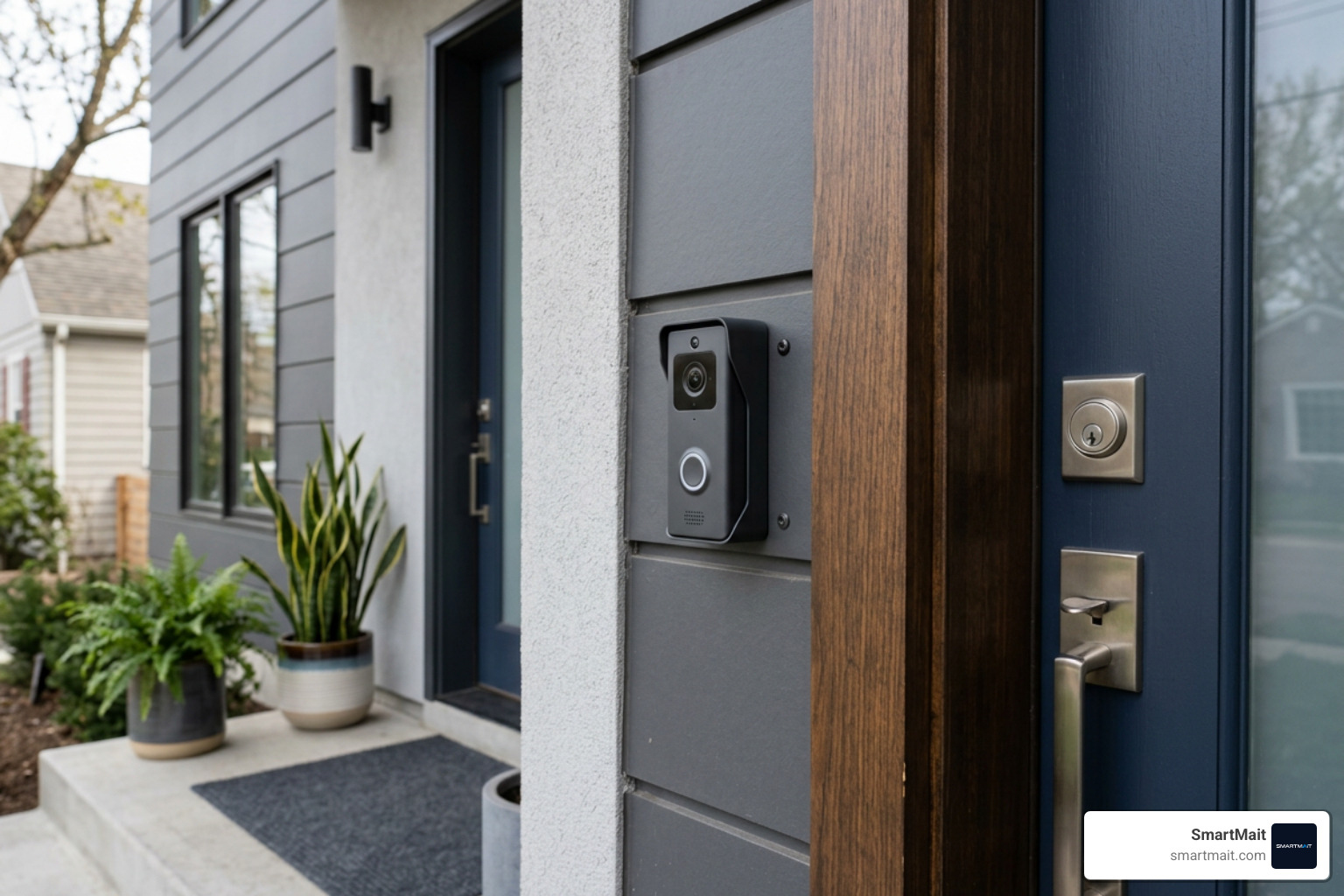
A common mistake renters make is buying a single indoor camera, placing it on a kitchen counter, and assuming their entire apartment is secure. True security requires a strategic balance of both indoor and outdoor entry point monitoring.
If you are allowed to mount a camera outside your front door, it acts as a powerful visual deterrent. However, if your landlord restricts outdoor mounting, you must rely on high-performance indoor cameras aimed at your main entry points, paired with window and door sensors. To understand how this dynamic changes for single-family homes, you can compare these strategies with What Are the Best Outdoor Security Cameras for a Residential Home.
To help you decide how to allocate your security budget, here is a comparison of indoor versus outdoor apartment camera applications:
| Feature | Indoor Apartment Cameras | Outdoor / Doorbell Cameras |
|---|---|---|
| Primary Purpose | Monitors living spaces, pets, and interior entry points | Deterrence, package tracking, and visitor identification |
| Power Source | Typically plug-in (continuous power) | Battery-powered or rechargeable packs |
| Installation | Extremely easy (shelf placement or magnetic mounts) | Requires secure mounting (peel-and-stick or door brackets) |
| Privacy Concerns | Low (only monitors your private living space) | High (can capture shared hallways or neighbors’ doors) |
| Weatherproofing | None required | Must have high IP ratings (e.g., IP66) to handle humidity/drafts |
Optimizing Coverage with an Apartment Camera Security System
To get the most out of your apartment camera security system, you need to focus on the areas where intruders are most likely to gain access. Statistics show that the vast majority of apartment break-ins occur through the front door or first-floor windows.
Start by placing a video doorbell or a front-door-facing camera to capture anyone approaching your apartment. If you are on the ground floor or have a private balcony, placing outdoor-rated cameras and window sensors in these areas is non-negotiable.
For a complete breakdown of how to design a comprehensive system, refer to The Ultimate Guide to Building a Home Security Camera Setup. If you want to add an extra layer of physical security to your doors without drilling, we recommend checking out The Best Door Alarms You Can Buy on Amazon Right Now.
Frequently Asked Questions About Apartment Security
Can I put a camera in front of my apartment door?
Yes, in most cases, but it depends heavily on your lease and local privacy laws. You generally cannot drill into the exterior walls of a shared hallway without landlord permission. Additionally, the camera must be positioned so that it does not peer directly into a neighbor’s private living space when their door is open, as this could violate state privacy regulations.
Do apartment security cameras require Wi-Fi?
While most consumer-grade cameras rely on Wi-Fi to send alerts and stream live video to your phone, some professional setups do not require it for basic functionality. Systems that use local storage (like an NVR or microSD card) can record footage 24/7 without an active internet connection. Furthermore, Z-Wave-based sensors can communicate locally with a smart hub even if your Wi-Fi router goes offline.
Are battery-powered cameras reliable for rentals?
Absolutely. Modern battery-powered cameras have improved dramatically, often lasting several months on a single charge. They are the ideal choice for renters because they require zero wiring or drilling. To maximize reliability, look for cameras with smart motion detection (which prevents the battery from draining due to false alerts) and consider integrating them into a professionally maintained ecosystem like SmartMait’s SmartService to ensure your batteries are always fresh.
Conclusion
Securing your apartment doesn’t have to mean compromising your security deposit or settling for a cheap, unreliable DIY kit. By focusing on non-invasive installation, leveraging advanced Z-Wave technology, and choosing local storage options, you can build a premium, architect-grade apartment camera security system that keeps your home safe and moves with you when you leave.
At SmartMait, we specialize in installing, integrating, and maintaining custom smart home automation and security systems across Oakland, Macomb, and Wayne counties in Southeast Michigan. Whether you reside in a luxury apartment in Bloomfield Hills, a modern loft in Troy, or a townhome in Rochester Hills, we bring professional-grade, low-voltage expertise directly to your door.
Our unique SmartService concierge maintenance program ensures that your system stays online, updated, and fully operational long after the initial installation. We handle everything from security and smart lighting to structured Wi-Fi and audio/visual integration, providing a single, seamless solution for your entire home.
Ready to upgrade your apartment’s security with a system designed for the modern renter? Explore our professional integration services at SmartMait and let us help you design a system that fits your lifestyle perfectly.