One Platform. Every System In The Building.
When a camera goes offline, a door reader stops working, or the Wi-Fi drops during a Monday morning all-hands, the cost isn’t just the tech. It’s the day. Most buildings run six systems from six vendors with six apps, six passwords and six people to call, none of which talk to each other. Smart automation control is the layer that ties lighting, shades, HVAC, AV, doors and cameras into one platform, one dashboard, one number to call.

Smart Automation Control
What A Building Control Platform Actually Runs
The automation layer doesn’t replace your subsystems. It schedules them, links them, and gives you one place to see everything.
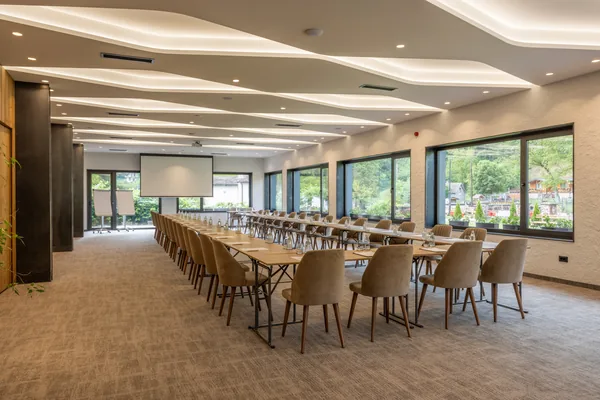
Meeting And Training Spaces
Room systems come up when the calendar says so, shut down when the room empties, and report health to one dashboard. Videoconference-first rooms are covered on commercial conference rooms, presenter-led rooms on commercial training rooms.
Audio, Paging And Signage
Background music by zone, overhead paging and digital signage, scheduled with the rest of the building. Open at 7am: music on, signage live, patio off until 11. See commercial audio and video.
The Network Underneath All Of It
Every device above rides your network. Segmentation, PoE capacity and switch quality decide whether the platform is reliable or a source of tickets. See commercial Wi-Fi and networking.

HVAC And Climate
The platform sets occupied and unoccupied setpoints, holiday schedules and after-hours overrides, then reports what each zone actually did. It does not replace your mechanical sequence. See commercial climate control.
Lighting And Daylight
Scheduled by zone, dimmed to a daylight target, shut down automatically when a space empties. Energy code already requires automatic shutoff in most commercial spaces, so the control is going in regardless. Putting it on the same platform as everything else is what makes it useful. See commercial lighting control.

Motorized Shades
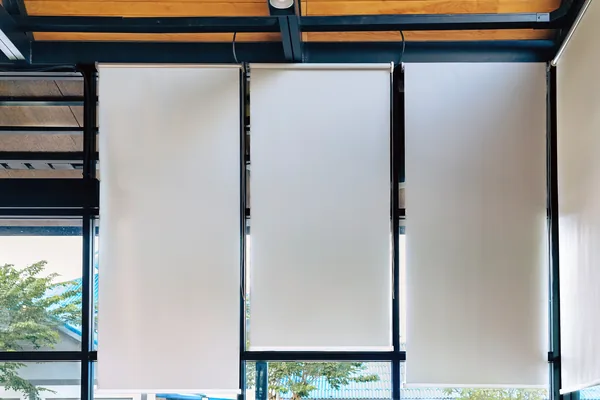
Shades tied to an astronomical clock and facade orientation, so west glass closes in the afternoon without anyone touching a keypad. Glare, heat load and display washout are one problem solved once. See commercial motorized shades.
Doors, Cameras And Alarms
Credentials, schedules, lockdown and audit logs live on the access side. Detection, recording and retention live on the surveillance side. The automation layer links them: a badge-in before hours brings up lights and heat on that floor. See commercial access control and commercial security and surveillance.
How Integration Actually Works
Protocols, Not Promises
“Integrated” means specific things. We publish which ones we use, because vendors rarely do.
- BACnet/IP and MS/TP to a building management system: read points, write setpoints, leave the mechanical sequence alone.
- 0-10V and DALI-2 for dimming and addressable fixtures, DMX where color changes.
- OSDP over RS-485 for card readers, not Wiegand. Wiegand is clear text on a wire, and cloneable.
- ONVIF Profile S and G for cameras and recorded video, so you aren’t locked to one manufacturer.
- Dry contact closures where nothing better exists. Reliable, and better than a fragile driver.
Occupancy Sensing That Doesn’t Drop The Lights On You
Passive infrared sensors respond to motion, and a person reading quietly stops being motion after eight to twelve minutes. That is why lights drop mid-meeting. Dual-technology sensors add acoustic or microwave detection, and millimeter-wave presence sensors detect a stationary body outright. We specify presence sensing in conference rooms, training rooms and private offices, and PIR in corridors and storage, where it belongs.
Schedules That Follow The Sun, Not The Clock
Sunset at northern latitudes moves roughly four hours between late June and early December, so a fixed “exterior lights at 5:00” schedule is wrong most of the year. We drive exterior lighting, shades and signage from an astronomical clock with your latitude and longitude and a per-zone offset, then layer holiday and after-hours calendars over it.
Network Segmentation And PoE Capacity
Control, cameras, AV and corporate traffic get separate VLANs, with routing between them by exception rather than by default. A flat network is how one compromised camera becomes a breach.
PoE budgets get sized, not guessed. A 48-port 802.3bt switch with a 740-watt budget sounds generous until you load it with 60-watt devices. We design to 80 percent sustained draw and leave headroom for year three.
What Happens When The Internet Drops
Cloud access is for remote management and reporting. It is not how a light turns on. Every load has a local control path, every keypad works with the processor offline, and door hardware fails to the state your life-safety plan and the fire marshal require. If losing an ISP turns your building off, it was engineered wrong.
Need help? Visit our Service and Support page to explore our commercial support plans.

What Buildings in Cold Climates Actually Need From Automation
Where the heating season runs most of the year, unoccupied setback and holiday scheduling are the largest single line on the energy bill. A building heating an empty floor from Friday afternoon to Monday morning is spending real money in January.
Freeze protection is the highest-return automation in a cold climate. Low-temperature alerts in a vacant suite, an unheated stair tower or a shell space over a holiday weekend prevent a burst-pipe claim that closes you for weeks.
Multi-tenant office buildings bring a specific constraint: the rooftop units belong to the landlord and you do not control them. We build tenant-side scheduling and reporting around what you actually own, and we say so upfront rather than promising control we cannot deliver.
Snowmelt and heated drives belong on the same platform, driven by slab temperature and moisture, not a switch somebody forgot in April.
Crestron, Control4, Or Neither.
We install all of them, which is why we can say where each one loses.

Crestron
Crestron wins on large, complex buildings: deep programmability, mature BACnet integration, a support horizon measured in a decade. It costs more, needs a programmer, and every change after handover is billable. On a 6,000 square foot dental office you pay for capability you never use.

Control4
Wins on small and mid-size offices. Faster to deploy, materially cheaper, strong at lighting, shades, audio and scheduling. It strains above roughly 25,000 square feet or 40 control zones, and it is dealer-serviced by design.
Platform-agnostic is right more often than integrators admit: Lutron for lighting, a real BACnet path to the BMS, Ubiquiti or Araknis for the network, open APIs tying them together. Nobody owns you, and each layer can be replaced on its own schedule.
Integrating With A BMS Versus Replacing It
If your building management system is under about twelve years old, still supported and exposes BACnet/IP, integrate. We read points and write setpoints, and your mechanical sequence stays where it belongs.
Replace the front end when you are locked out of your own system, the controls contractor is gone, or the only path in is a proprietary serial connection nobody supports. Even then, keep the field devices. Valves, actuators and sensors rarely need replacing when the software does.
How The Work Actually Goes.
Survey, design and submittals
We walk the building, inventory what exists, and issue drawings, a points list and device and cable schedules for your bid set. RFIs answered in writing. Change orders priced before the work.
Coordination
Panel and IDF locations, conduit and backing before drywall, ceiling devices before grid, and the line-voltage scope split clearly with the electrician so nothing falls between two subs.
Rough-in and trim
Our crews pull, terminate and label, and we hit the rough-in inspection date we gave you. No shortcuts.
Commissioning
Every zone, schedule, sensor and integration point tested against the points list, with the building running the way it actually will.
Documentation and handover
This is where most integrators quit and we don’t. You get as-builts, a points list, panel schedules, an IP and device schedule, cable labeling, the programming files, and administrator credentials on named accounts in your company’s name. Not ours. Plus recorded admin training, so the next facility manager isn’t starting from zero.
New Build Versus Occupied Building
In new construction and gut tenant improvement, we want to be in coordination at the 50 percent design development set. Panel space, conduit, backing, ceiling devices, IDF locations and the line-voltage scope split cost nothing to move then and a change order later. Our points list goes into the bid set.
In an occupied building, nothing goes dark during business hours. We phase by floor or by system, cut over after hours, run the old system in parallel until the new one is proven, and schedule the switchover for a Friday evening so there is a weekend of runway.
FREQUENTLY ASKED QUESTIONS
Commercial Automation Questions, Answered
Usually yes. If your BMS is under about twelve years old, still supported, and exposes BACnet/IP or MS/TP, we read points and write setpoints without touching your mechanical sequence. We replace only the front end, and only when you are locked out of your own system or the sole interface is an unsupported proprietary connection.
The building keeps working. Cloud access exists for remote management and reporting, not for switching a light. Every load has a local control path, keypads and wall controls work with the processor offline, and door hardware fails to the state your life-safety plan and the fire marshal require. Losing an ISP should never turn a building off.
Need help? Visit our Service and Support page to explore our commercial support plans.
Us, directly. On our 24/7/365 service plans, after-hours calls are triaged that night, and most faults are network, firmware or configuration issues we resolve remotely. Anything needing hands on site gets scheduled first thing. Service-plan clients get priority response and proactive monitoring, so we often see a device drop first. See our service plans.
Yes, all of it. Administrator credentials are issued to named accounts in your company’s name at handover, not held by us. You receive as-builts, a points list, panel schedules, IP and device schedules, cable labeling and the programming files. If you ever replace us, the next integrator has everything on day one.
One Building. One Contract. One Number.
Send the floor plan, the systems you already own, and what frustrates you most about running the building. We’ll walk it, tell you what to automate and what to leave alone, and come back with a clear package quote. Our own crews. Documentation you actually own.