The Business Owner’s Guide to Professional AV Systems
Why a Professional AV System Is Worth Evaluating Carefully
An audio visual installation company designs, installs, and supports systems that make communication, security, and media simpler to use. For a business, that may mean reliable video meetings, clear sound, digital displays, structured cabling, and one control system instead of a pile of disconnected apps and vendors.
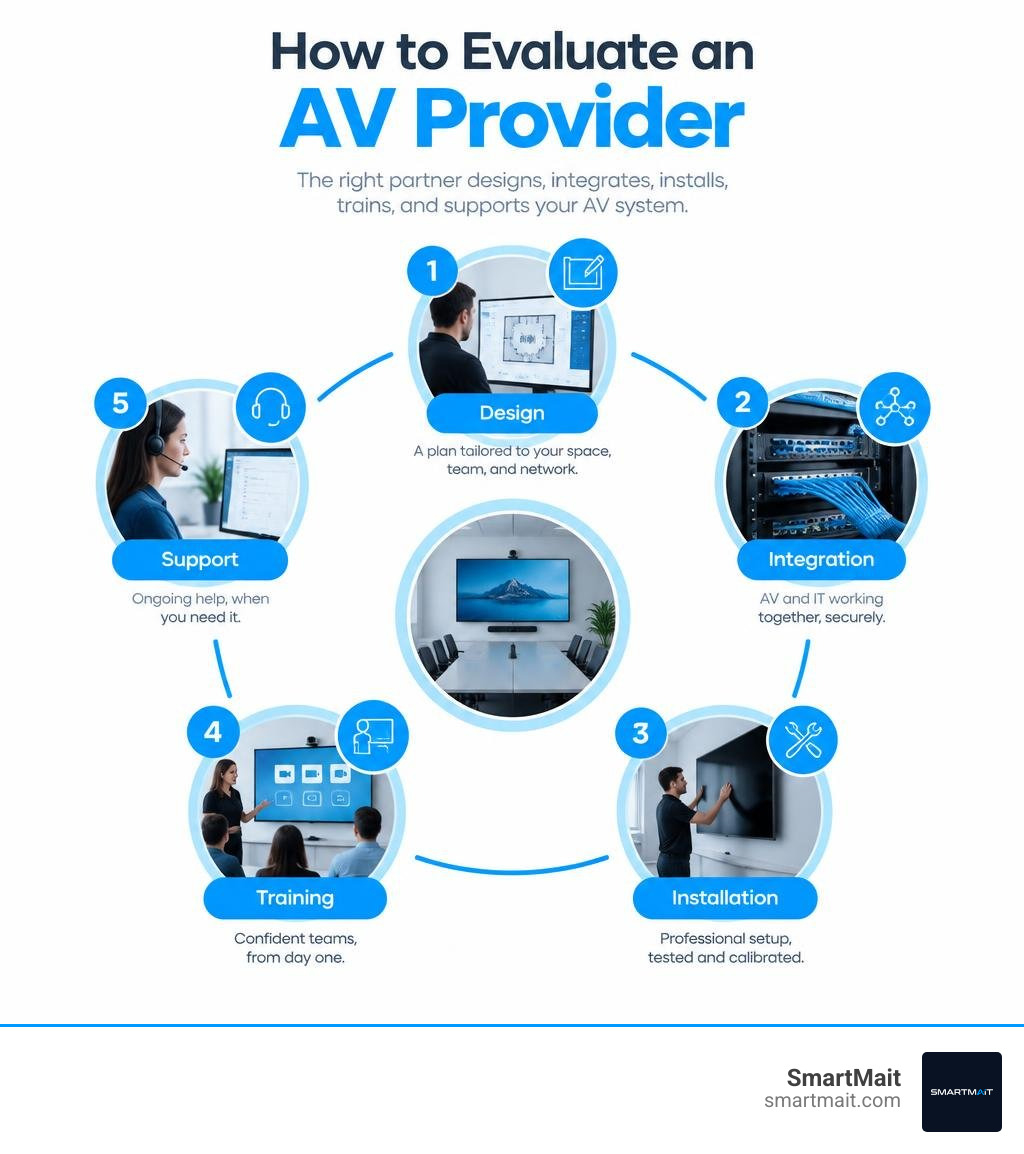
When comparing providers, look for five things:
- A site survey and written design based on your space, staff, and existing network
- Experience with structured wiring, conferencing, audio, displays, and control systems
- A clear plan for connecting AV equipment safely to your IT infrastructure
- Testing, calibration, and staff training before handoff
- Ongoing support, remote troubleshooting, and maintenance after installation
The right partner does more than mount screens and speakers. They build a system that works together, is easy for people to operate, and can grow without forcing a costly redo later.
I’m Dominic Hesano, founder of SmartMait, and my hands-on work in structured wiring, networks, security, smart-home systems, and home theater has shown me what happens when an audio visual installation company treats infrastructure as an afterthought. This guide will help you ask better questions, spot gaps before signing a proposal, and choose a provider built for reliable long-term support.
Audio visual installation company terminology:
1. Core Solutions Delivered by an Audio Visual Installation Company
Every modern commercial facility relies on a backbone of interconnected communication and media tools. Whether you run a corporate headquarters in Troy, a medical practice in Rochester Hills, or a boutique retail showroom in Birmingham, modern commercial hardware must be purpose-built, secure, and intuitive.
When organizations evaluate navigating professional AV installation services, they quickly discover that commercial-grade audiovisual engineering is fundamentally different from buying consumer electronics. Commercial hardware is built for continuous runtime, enterprise-grade network security, and centralized management.
Unified Conferencing and Boardroom Systems
Modern collaboration demands hybrid meeting equity. If remote participants cannot clearly hear a speaker at the far end of the conference table or see the presenter’s whiteboard notes, productivity collapses.
Professional conference room deployments rely on:
- Native Platform Integration: Dedicated appliances engineered specifically for native Microsoft Teams Rooms or Zoom Rooms environments, allowing one-touch meeting starts without bringing personal laptops into the signal chain.
- Beamforming Microphone Arrays: Ceiling-mounted or table-integrated microphone elements that track active human voices across the room while actively suppressing background HVAC hum, keyboard clatter, and ambient room reverberation.
- Intelligent PTZ Cameras: Optical pan-tilt-zoom cameras equipped with automated framing and speaker-tracking intelligence to capture facial expressions and natural body language.
- Acoustic Echo Cancellation (AEC): Advanced digital signal processing (DSP) algorithms that prevent audio feedback loops and choppy duplex audio during real-time remote calls.
High-Impact Digital Signage and LED Video Walls
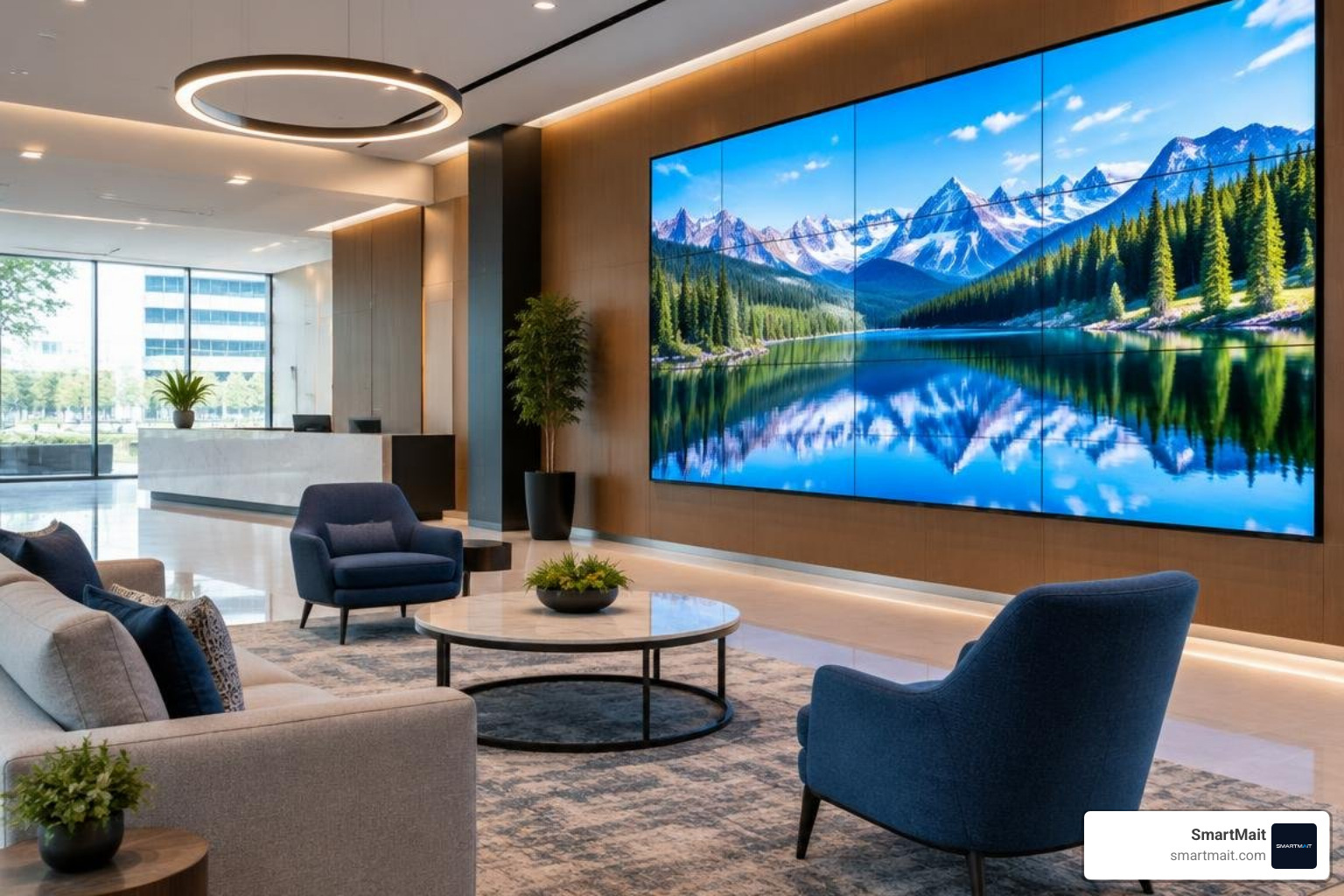
Static printed signage cannot keep pace with dynamic business messaging. Direct-view LED (dvLED) and ultra-high-definition commercial display systems transform building lobbies, customer experience centers, and executive boardrooms into engaging visual environments.
Unlike standard consumer televisions, commercial displays offer high-nit brightness ratings (ranging from 500 to over 3,000 nits) engineered to overcome direct sunlight in glass-fronted offices and retail spaces across Oakland and Macomb counties. Paired with centralized Content Management Systems (CMS), these video walls allow facility managers to push emergency alerts, corporate KPIs, branded visual assets, and interactive wayfinding schedules from a single web dashboard.
Multi-Zone Commercial Audio and Sound Distribution
Distributing sound evenly across complex corporate layouts, hospitality venues, and professional clinics requires sophisticated system architecture. Blaring speakers in one corner while leaving another area in complete silence creates a disjointed experience.
Enterprise sound integration leverages networked audio protocols such as Dante and centralized processing architectures like Q-SYS. These platforms route high-resolution, uncompressed audio channels over standard structured IT cabling. This enables complete control over background ambiance, zoned speech reinforcement, and emergency automated paging from a wall-mounted touch panel or a master tablet interface.
2. Key Advantages of Professional AV Integration for Modern Workplaces
Cutting corners on hardware procurement or working with fragmented subcontractors often results in persistent connectivity failures, messy exposed cabling, and expensive downtime. Investing in comprehensive professional audio video installation protects your operational continuity.
Why Work with an Audio Visual Installation Company for Complex Builds
Engaging a professional integration firm eliminates the headaches of juggling multiple niche vendors. Instead of hiring an electrician for low-voltage wiring, an IT contractor for network routing, a consumer retailer for displays, and a third party for smart automation, a full-ecosystem integrator designs and deploys the entire stack.
This single-source accountability ensures that:
- Architectural Aesthetics Are Preserved: All equipment racks, structured Cat6A runs, and power supplies remain cleanly organized and hidden behind walls or within dedicated equipment closets.
- Reliability Meets Enterprise Expectations: Professional engineering targets an industry-standard 99% operational uptime, avoiding the awkward tech glitches that delay board meetings and client presentations.
- Custom Programming Ties Systems Together: Audio, video, motorized window shades, and architectural mood lighting respond in harmony to single-button scene commands like “Executive Presentation” or “All Off.”
Network Convergence and Infrastructure Reliability
Contemporary audio and video platforms no longer run on proprietary coaxial or analog copper lines. High-performance AV systems now operate as AV-over-IP endpoints residing on your enterprise data network.
Without proper IT integration, high-bandwidth 4K video streams and uncompressed Dante audio channels can easily flood your office network, causing packet drops, laggy video calls, and degraded Wi-Fi speeds. A qualified integration team designs dedicated Virtual Local Area Networks (VLANs), implements Quality of Service (QoS) bandwidth prioritization, and applies robust encryption protocols to safeguard corporate data while keeping video streams operating smoothly. This systematic coordination mirrors the high-stakes data and infrastructure standards applied during major regional public infrastructure upgrades.
3. The 5-Step Commercial AV Deployment Process
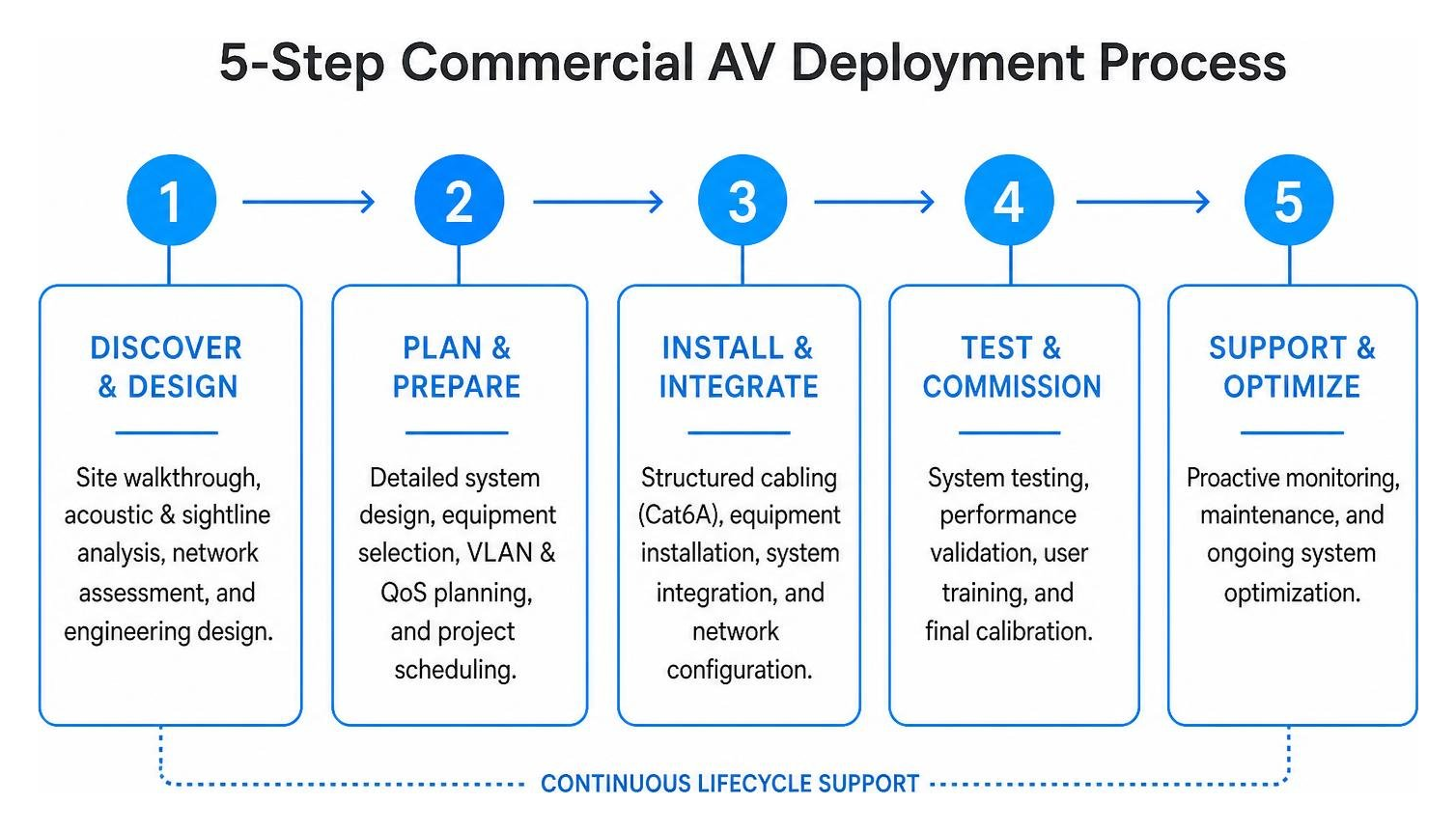
A successful AV installation never begins with power drills and wall mounts. It follows a structured, milestone-driven deployment cycle designed to avoid scope creep, eliminate change orders, and guarantee technical alignment.

When planning your project budget, understanding how much a professional AV system costs requires looking at both physical hardware and the detailed engineering phases necessary for long-term stability.
Comprehensive Site Discovery and Engineering Design
The deployment begins with an on-site architectural and network walkthrough:
- Acoustic & Sightline Analysis: Assessing room dimensions, reflective glass walls, ambient noise levels, and seating distances to select correct speaker placement and display screen sizing.
- Thermal & Power Calculations: Mapping heat loads within credenzas and server racks while specifying dedicated electrical circuits to prevent power line hum and thermal throttling.
- CAD/BIM Modeling & Functional Scope: Creating detailed schematics, signal-flow diagrams, and device locations to ensure complete alignment with general contractors and interior designers.
Structured Cabling, Calibration, and System Commissioning
Once engineering plans are finalized, the physical deployment moves through structured implementation:
- Rough-In & Low-Voltage Structured Cabling: Pulling shielded, plenum-rated Cat6A, fiber optics, and control cabling before walls close during construction or through non-invasive pathways in finished buildings.
- Rack Fabrication & Cable Management: Organizing power distribution units (PDUs), patch panels, network switches, and media processors within standardized equipment racks, with every line clearly labeled.
- Acoustic and Visual Calibration: Using measurement microphones to equalize audio frequencies, balance multi-channel arrays, and calibrate display color temperature and gamma curves.
- Firmware Validation & Stress Testing: Updating all hardware to stable enterprise firmware versions and testing full-load system endurance prior to handover.
- Hands-On Staff Training & Documentation: Providing facility managers and staff with clear, personalized training along with a comprehensive Digital Owner’s Manual.
4. How to Evaluate and Choose the Right AV Partner
Choosing an audiovisual partner is not merely a purchasing decision; it is an ongoing operational relationship. Selecting an inexperienced contractor often leads to orphaned systems where the original installer cannot be reached for updates or troubleshooting.
| Evaluation Metric | One-Off AV Contractor | Managed Full-Ecosystem Integrator |
|---|---|---|
| System Design Approach | Off-the-shelf equipment boxes | Custom engineering & site-specific acoustics |
| Network Infrastructure | Ignores existing IT/VLAN requirements | Full IT convergence & QoS traffic isolation |
| Automation Protocols | Consumer Wi-Fi gadgets | Architect-grade Z-Wave & enterprise platforms |
| Cabling Standards | Loose, unlabeled wire runs | Structured low-voltage with labeled patch racks |
| Post-Install Support | Disappears once final invoice is paid | Ongoing concierge maintenance & SLA response |
How to Choose the Right Audio Visual Installation Company for Your Facility
When interviewing integration teams across Southeast Michigan, look for concrete verification of technical competence rather than generic sales promises. Engaging verified local AV integration specialists provides reassurance that your provider holds the manufacturer certifications and field experience necessary to manage high-end commercial spaces.
Key credentials to ask for include:
- Manufacturer-Certified Programming: Verified programming experience with enterprise ecosystems (such as Q-SYS, Dante, and commercial automation platforms).
- Cross-Discipline Capabilities: A comprehensive understanding of how low-voltage audio/video integrates with access control, smart commercial lighting, and physical security.
- Local Geographic Presence: A dedicated team operating directly in your local area (such as Bloomfield Hills, Farmington Hills, West Bloomfield, and Livonia) to ensure prompt on-site dispatch when urgent needs arise.
Long-Term Managed Services and Post-Installation Support
Even the best commercial hardware requires periodic firmware maintenance, software patch management, and remote diagnostic monitoring. The modern AV industry has evolved beyond transactional box-dropping; long-term reliability demands proactive lifecycle management.
Through our SmartService concierge maintenance program, we provide ongoing system oversight that keeps your operational infrastructure running at peak performance. Rather than waiting for a conference room screen to fail five minutes before an executive presentation, proactive remote diagnostics alert our technicians to network dropped packets or hardware overheating so we can resolve issues before your team even notices a disruption.
Frequently Asked Questions About Commercial AV Installation
What is the typical timeline for a commercial AV installation?
Project schedules vary based on the scale of the facility and whether the work involves a new construction build-out or an active retrofit:
- Consultation, Site Audit, & Engineering Design: 1 to 2 weeks to complete room scans, network reviews, and CAD drawings.
- Hardware Procurement & Rack Pre-Building: 2 to 4 weeks depending on specific supply chain lead times for commercial displays and DSP processors.
- On-Site Installation, Cabling, & Termination: 2 to 5 business days for standard boardrooms, medical offices, and small business suites.
- Commissioning, DSP Tuning, & Staff Training: 1 to 2 days for final quality assurance and team onboarding.
How do modern AV systems integrate with existing enterprise IT networks?
Modern commercial audiovisual hardware operates primarily over standard Ethernet infrastructure. To maintain ironclad corporate security and avoid network congestion:
- Isolated VLAN Creation: We work alongside your internal IT team or managed service provider (MSP) to create dedicated, firewalled virtual subnets specifically for AV traffic.
- Quality of Service (QoS) Rules: Bandwidth prioritization ensures time-sensitive audio and video packets (like uncompressed Dante audio or live Zoom feeds) receive top priority over general office internet downloads.
- Zero-Trust Device Security: Commercial control processors and media servers are configured with enterprise-grade encryption, disabled default ports, and updated firmware to eliminate entry vulnerabilities.
What is included in ongoing AV maintenance and support agreements?
A comprehensive managed service agreement covers the entire post-installation lifecycle:
- Proactive Remote Monitoring: 24/7 cloud diagnostics that check the operational health, temperature, and connectivity status of central processors and amplifiers.
- Guaranteed SLA Response Windows: Fast-tracked response times (often within 4 hours) for technical troubleshooting to minimize corporate downtime.
- Routine Preventative Servicing: Regularly scheduled on-site maintenance visits to inspect physical connections, clean display ventilation, and calibrate audio microphones.
- Firmware & Security Patching: Controlled, verified firmware updates to prevent compatibility breaks between meeting software and room hardware.
Conclusion
A well-engineered audiovisual system is an essential business asset. When designed properly, it elevates client perception, streamlines everyday staff collaboration, and eliminates the daily friction of unreliable meeting technology.
Instead of managing multiple disconnected vendors who leave you with a patchwork of incompatible apps, partner with a full-ecosystem integrator dedicated to engineering excellence. We combine professional AV distribution, enterprise networking, architect-grade Z-Wave smart automation, and ongoing concierge maintenance to keep your facility operating seamlessly.
Explore how SmartMait smart automation and AV systems can elevate your commercial workplace or private estate across Oakland, Macomb, and Wayne counties. Schedule your comprehensive on-site engineering consultation today.