The 2GIG Owner’s Manual for Smart Self-Monitoring
Set Up 2GIG Self-Monitoring Without Losing Visibility
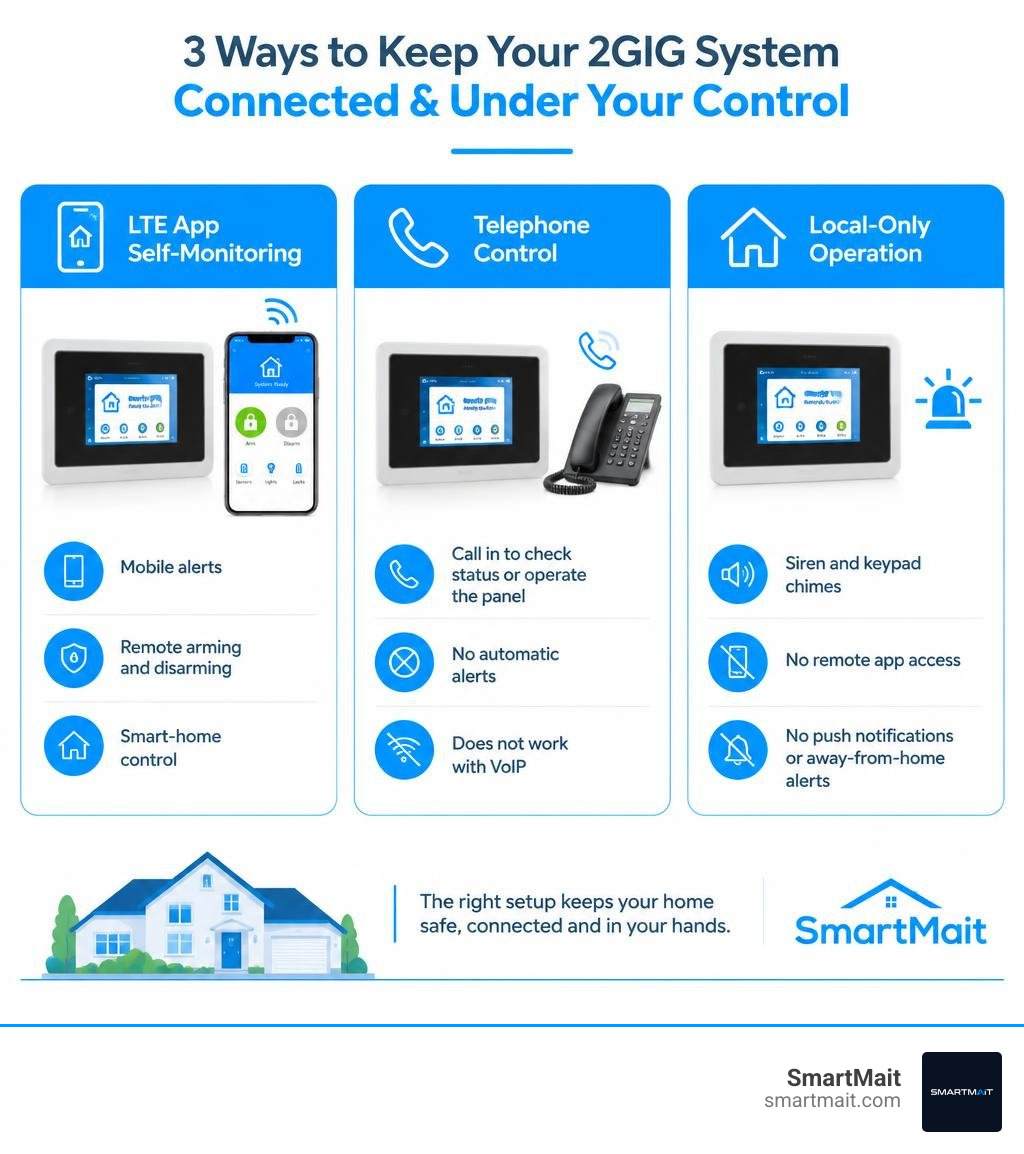
For effective 2GIG self monitoring, have a qualified integrator configure one of two communication paths:
- Interactive app-based monitoring: Add and activate a compatible LTE cellular communicator, then enroll the panel with an interactive service for mobile alerts, remote arming, disarming, and smart-home control.
- Telephone-based control: Install a GC-POTS module and connect a true analog phone line. You can call in to check status or operate the panel, but it does not send automatic alerts and does not work with VoIP phone service.
A 2GIG panel can also run with no monthly service as a local alarm: sensors can trigger the siren and keypad chimes. But you lose remote app access, push notifications, and the ability to receive an alarm event while away from the property.
For homes in Troy, Birmingham, Bloomfield Hills, and across Oakland County, the right setup is usually less about adding gadgets and more about correctly programming zones, user codes, cellular communication, and Z-Wave devices so they work as one dependable system. A professionally configured panel can notify you when a door opens, let you arm the house from the car, and coordinate supported locks, lighting, or climate settings.
I am Dominic Hesano, founder of SmartMait, and I have hands-on experience diagnosing, wiring, and configuring 2GIG self monitoring and connected home-security systems throughout Southeast Michigan. The next sections explain the hardware, communication choices, and setup decisions that make the system reliable.
2gig self monitoring terms to learn:
- alarm system self-monitoring
- 2gig alarm monitoring service
- alarm monitoring service for existing system
Core Hardware and Communication Paths for 2GIG Self Monitoring
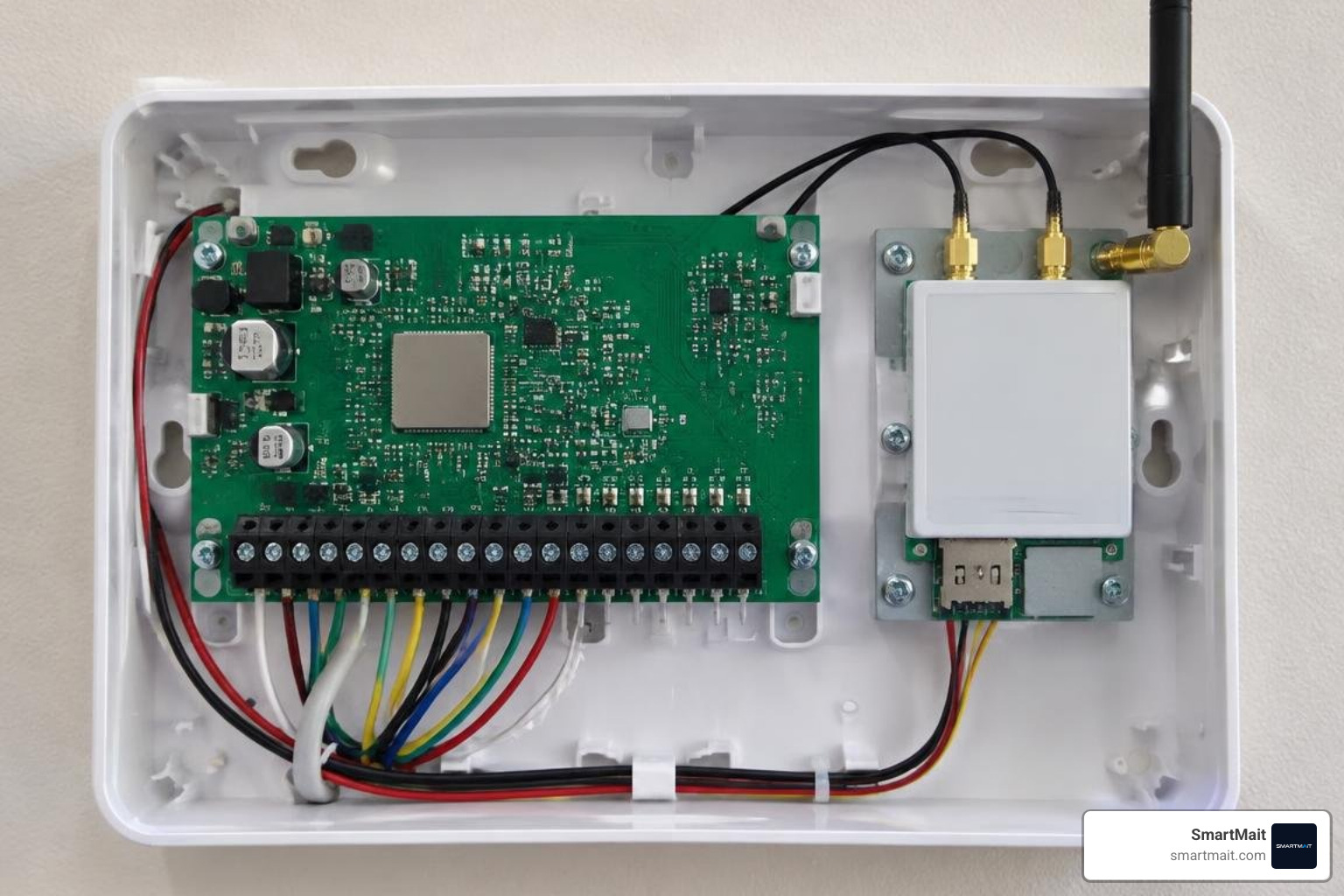
A reliable security architecture starts with the hardware inside the panel. Whether managing a legacy Go!Control (GC2), a GC3, or a modern 2GIG EDGE touchscreen, the panel requires a physical transmission path to relay sensor state changes to the outside world. Without an active communication module, the control panel operates as an isolated island—sounding an internal horn during an event but incapable of notifying you off-site.
Consulting the 2GIG GC2 Panel User Guide reveals how the internal radio bay and terminal blocks interface with your property’s low-voltage wiring. When we deploy self-monitored security systems for residential properties and boutique commercial spaces across Metro Detroit, we evaluate the physical infrastructure first.
LTE Cellular Communicators and Dual-Path Connectivity
For interactive self-monitoring, an LTE cellular transceiver is the industry benchmark. Older 3G and CDMA modules are completely obsolete, meaning any operational system today relies on LTE radios paired with cellular carriers.
Dual-path communication links the panel simultaneously to your local high-speed Wi-Fi network and a dedicated cellular channel.
- Primary Path (Wi-Fi): Delivers instantaneous command processing, low-latency live camera streaming, and rapid over-the-air firmware maintenance.
- Secondary Path (Cellular LTE): Serves as an uncompromised, battery-backed failover. If a winter storm downs physical lines in Rochester Hills or internet service drops, the cellular radio transmits alarm triggers and system events without interruption.
Cellular communicator registration requires linking the module’s unique IMEI/SIM identifier to an interactive cloud backend. Once provisioned, the panel bypasses local network vulnerabilities, ensuring property owners receive real-time updates directly on their mobile devices.
Legacy GC-POTS Telephone Module Constraints
The secondary, legacy method for older 2GIG Go!Control units relies on the 2GIG GC-POTS (Plain Old Telephone Service) module. This hardware daughterboard snaps directly onto the panel’s circuit board, bridging it to an analog telephone line.
However, POTS connectivity introduces substantial operational limitations:
- No Automated Push Alerts: The system cannot dial out to send push notifications, text messages, or status emails to your phone when an intrusion occurs.
- Dial-In Control Only: Control is strictly inbound. You must physically call the premises landline using a specific dual-call sequence to enter commands via DTMF touch-tones.
- Zero VoIP Compatibility: The module expects standard copper analog voltages. Modern digital phone lines, fiber-optic voice adapters, and VoIP networks frequently fail to transmit the DTMF tones cleanly, leading to connection dropouts.
Professional Integration: Linking 2GIG Panels with Interactive Platforms

Unlocking the full potential of a 2GIG system requires bridging the local hardware to an interactive cloud management platform. This configuration turns a standard alarm panel into a unified property automation hub.
Configuring Interactive Cloud Access for 2GIG Self Monitoring
To enable interactive features, the panel’s internal settings must be configured to communicate with cloud servers. An integrator accesses the panel’s System Configuration menus to establish proper zone reporting codes, sensor supervisory intervals, and cellular handshake protocols.
According to the 2GIG EDGE Data Sheet, modern panels utilize edge analytics and dual-transceiver architectures to enhance speed and data privacy. Once provisioned, property owners gain access to powerful management capabilities:
- Real-Time Push Notifications: Immediate alerts for sensor events, perimeter breaches, and system troubles.
- Geofencing Automations: Arming reminders and thermostat adjustments triggered automatically when your smartphone crosses a virtual perimeter around your Birmingham or Bloomfield Hills property.
- Remote Security Commands: Arming in Stay or Away mode, disarming, and bypassing open windows directly through a mobile app.
- User Permission Administration: Adding temporary guest codes and monitoring access logs remotely.
Programming Z-Wave Ecosystems and Perimeter Zones
Every 2GIG panel features a built-in Z-Wave radio transceiver. Rather than relying on separate, consumer-grade hubs that congest your 2.4 GHz Wi-Fi spectrum, the panel creates a dedicated, sub-GHz mesh network for connected devices.
When designing unified automation systems, we integrate:
- Smart Locks: Motorized deadbolts programmed to automatically disarm the system upon entry with a valid code.
- Lighting and Motorized Shades: Coordinated scenes that illuminate pathways or close window coverings when the system arms in Away mode.
- Climate Control: Integrated smart thermostats that adjust setpoints during alarm states to optimize energy efficiency or shut down HVAC circulation during smoke detector activation.
- Perimeter Sensor Partitioning: Allocating magnetic door/window contacts, glass break detectors, and exterior motion sensors into defined logic partitions.
Operational Comparison: Local Standalone vs. Integrator-Supported Solutions
Selecting the appropriate operational model depends on your requirements for response latency, ease of maintenance, and emergency escalations.
| Operational Model | Communication Path | Real-Time Remote Alerts | Home Automation Integration | Emergency Dispatch Service | Ongoing System Health Management |
|---|---|---|---|---|---|
| Standalone Local Alarm | None (Local Sounder Only) | No | Limited to Local Panel Screen | None (On-Site Siren Only) | Owner Self-Maintained |
| POTS Telephone Control | Analog Landline | No (Inbound Dialing Only) | None | None | Owner Self-Maintained |
| Interactive Self-Monitoring | Dual-Path (LTE / Wi-Fi) | Yes (Push, SMS, Email) | Full Z-Wave Ecosystem | User-Initiated | Owner Self-Maintained |
| Integrator-Supported Management | Dual-Path (LTE / Wi-Fi) | Yes (Push, SMS, Email) | Full Unified Ecosystem | Optional 24/7 Dispatch | Managed via Proactive Concierge Support |
Managing Duress Codes, User Partitions, and Emergency Alerts
Proper programming of user credentials is a critical security step. 2GIG panels support up to 60 unique 4-digit user codes, each assignable to specific access schedules or partitions.
- Arming Modes: Stay Mode activates perimeter window and door contacts while bypassing interior motion sensors, allowing occupants to move freely inside. Away Mode arms all perimeter and interior motion zones.
- Silent Duress Codes: A specialized user code programmed into the panel. If an individual is forced to disarm the system under threat, entering the duress code disarms the on-site siren normally while silently broadcasting an emergency duress signal across the cellular network.
- Entry and Exit Delays: Custom-tailored delay windows prevent false alarms, ensuring family members or staff have adequate time to enter their credentials.
Transitioning to Integrator-Supported System Management vs 2GIG Self Monitoring
While self-monitoring gives property owners direct oversight via smartphone alerts, it places the entire burden of emergency response on the individual. If your phone is silenced, out of battery, or without cellular reception during a meeting or flight, an alert may go unnoticed.
Transitioning an existing 2GIG panel to a professionally supported management structure does not require replacing working sensors or ripping open walls. Because 2GIG hardware uses open, non-proprietary wireless communication standards, an integrator can remotely reprogram the cellular communicator and take over system health diagnostics over the air.
This hybrid approach allows owners to maintain full mobile app control while benefiting from back-end supervision, battery health tracking, and professional infrastructure maintenance.
Frequently Asked Questions About 2GIG Systems
Can a 2GIG system operate completely without monthly fees?
Yes. A 2GIG control panel can function as a standalone, zero-fee local alarm. In this mode, door contacts, window sensors, motion detectors, and smoke alarms trigger the internal siren and voice annunciator chime locally. However, without an active communication subscription, the panel cannot send push notifications, text messages, or remote commands to your mobile device, leaving you unaware of alarms while away from the property.
How does Remote Control by Telephone work on 2GIG Go!Control units?
The Remote Control by Telephone feature uses an installed GC-POTS module wired to an active analog landline. To connect:
- Dial the property’s phone number, let it ring once, and hang up.
- Call back within 60 seconds. The panel recognizes the sequence and answers the call.
- Enter your 4-digit master code via the phone’s keypad.
- Listen to the voice prompts and use DTMF touch-tone commands to check status, arm, disarm, or bypass zones.
This method does not support automated outbound alerting and will not function reliably over modern VoIP telephone adapters.
Can you switch between self-monitoring and integrator-supported system management without new equipment?
Yes. 2GIG panels—including the GC2, GC3, and EDGE models—are fully non-proprietary. If your panel contains an unlocked LTE communicator, an integrator can register the module’s IMEI on a new management profile over the air. All existing 345 MHz wireless sensors, keyfobs, and paired Z-Wave automation hardware remain intact, avoiding unnecessary hardware replacement costs.
Conclusion
A 2GIG security panel is a robust, commercial-grade foundation for property security and smart automation. While self-monitoring gives you direct control over your alerts, ensuring that your cellular communicators, dual-path networks, and Z-Wave automation ecosystems operate smoothly requires expert design and execution.
At SmartMait, we design, install, and support high-performance low-voltage systems for luxury residences and commercial spaces throughout Troy, Birmingham, Bloomfield Hills, Rochester Hills, West Bloomfield, and Oakland County. We bridge security hardware, structured Wi-Fi networking, smart lighting, motorized shades, and access control into a single, cohesive infrastructure.
Through our signature SmartService concierge maintenance program, we remain your ongoing technology partner—managing firmware updates, verifying communication paths, and servicing hardware long after installation day.
Contact our team today to schedule an on-site property consultation and elevate your security infrastructure to a professionally integrated standard via SmartMait smart home automation services.